37
Line Hole
Mill Functions
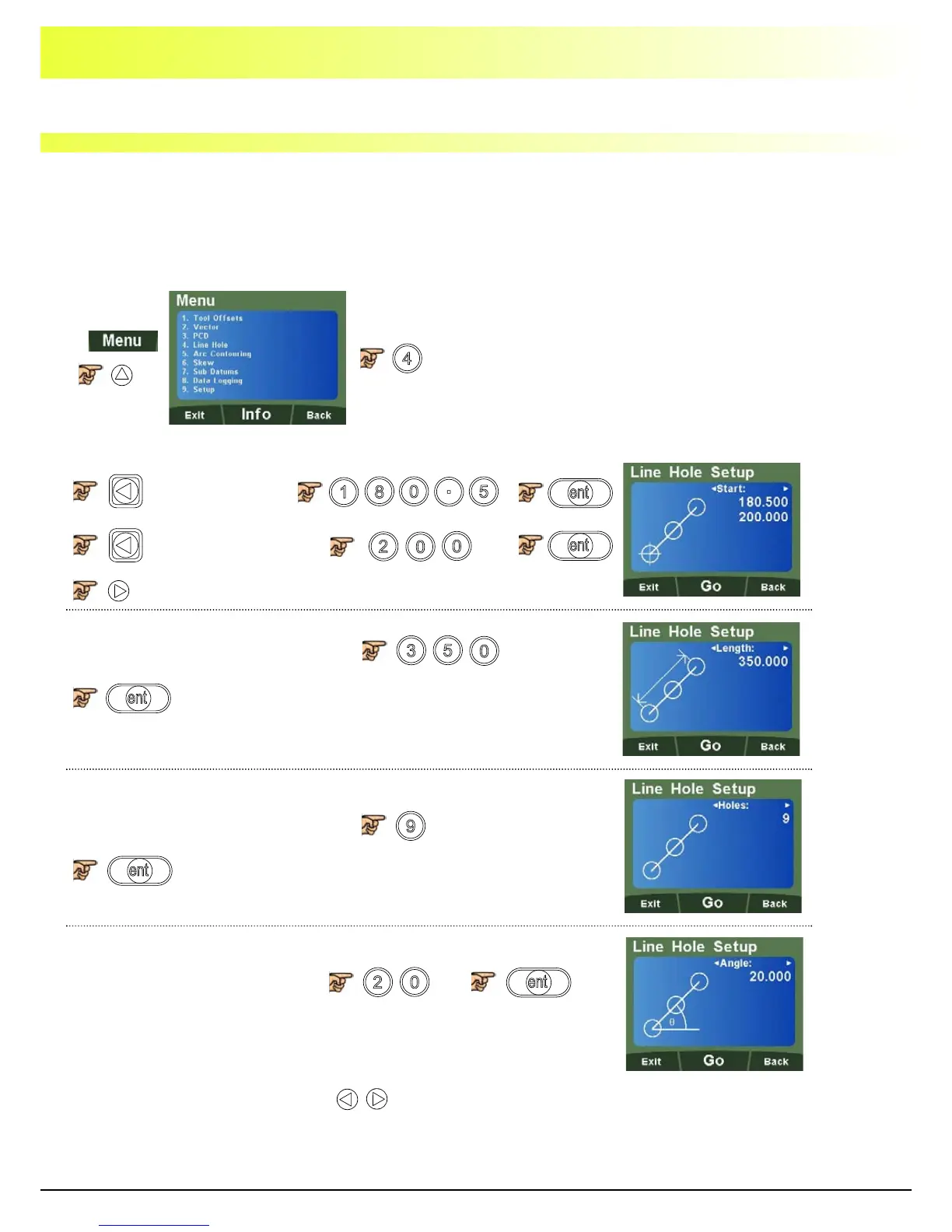
The DP1200 calculates positions for a series of equally spaced holes on a line. Once the parameter
data is entered, the DP1200 displays the distance to the next hole. The operator works to zero for each
hole location. See example (Fig 2).
Note: This function only operates in the axes that have been setup in the plane (See Page 24 - Plane
Setup)
.
To select Line Hole
Example
Enter 1st start
coordinate
Enter 2nd start
coordinate
Enter the line hole length dimension
Enter the number of holes required
Enter angle required in degrees
Note: Length = total length of line hole sequence, not distance between
adjacent holes.
Note: At this point you can use the keys to navigate back and forth through the menus.



 To Next Page