EasyManua.ls Logo

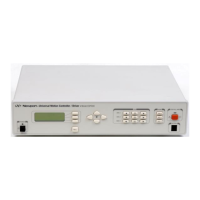
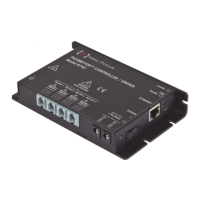
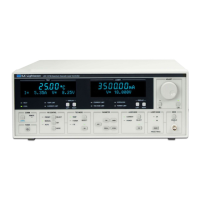
Newport LDC-3706 Series - User Manual

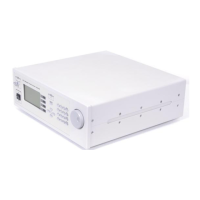
Newport LDC-3706 Series
124 pages
Print Icon
To Next Page IconTo Next Page
Loading...
User’s Guide
Laser Diode Controller
LDC-3706 Series
700483 December 2019
Complete listings for all global oce locations are available online at www.newport.com/contact
www.newport.com
Newport Corporation
31950 Frontage Road Bozeman, MT, USA
PHONE: 1-800-459-9459 1-406-556-2481 FAX: 1-406-586-9405 EMAIL: sales@ilxlightwave.com
Newport Corporation, Irvine and Santa Clara, California and Franklin, Massachusetts; Evry and Beaune-La-Rolande, France; Stahnsdorf, Germany and Wuxi, China have all been certified compliant with ISO 9001 by the British Standards Institution.

Table of Contents

Questions and Answers

  • M
    Melissa SmithSep 12, 2025
    Why does Newport LDC-3706 Controller output exceed Power Limit?
    • M
      Marcus GarciaSep 12, 2025
      If the Newport Controller shows an output exceeding the Power Limit, note that the "Power Limit" is not a hardware limit but a warning that the power measurement has exceeded the set point. Ensure that the current limit is set correctly according to the laser manufacturer’s datasheet.
  • E
    Emily HarperAug 23, 2025
    What to do if Newport LDC-3706 Controller reads “Internal Communication Error”?
    • K
      Keith LambertAug 23, 2025
      If the Newport Controller displays “Internal Communication Error”, the instrument must be returned to ILX Lightwave.
  • S
    Stephanie RobertsonAug 25, 2025
    What to do if Open circuit error E503 or Voltage Limit error E505 prevents output from reaching desired value on Newport LDC-3706?
    • A
      Amy WilliamsAug 25, 2025
      The LDC-3706 has an adjustable laser compliance voltage. If the Newport Controller displays an open circuit error E503 or voltage limit error E505, preventing the output from reaching the desired value, check if the LASER voltage limit setting is too low. Also, check the laser connections.
  • J
    Joshua MillerAug 26, 2025
    How to troubleshoot if Newport LDC-3706 does not power up?
    • J
      Julian YoungAug 27, 2025
      If the Newport Controller does not power up, ensure the power cord is securely connected and test the wall outlet with a known working device. Check the voltage selector on the rear panel to match your region's power supply; incorrect settings can damage the instrument. Note that there are no user-serviceable fuses, but internal fuses exist. If problems persist, contact customer support at ILX Lightwave.
  • A
    Andrew McgrathAug 27, 2025
    What to do if Newport LDC-3706 is not being recognized by USB?
    • K
      Katherine OwensAug 27, 2025
      If the Newport Controller is not being recognized by USB, verify the USB cable connection between the controller and the computer. Also, make sure that the correct drivers are installed.
  • J
    Jacob FosterAug 30, 2025
    What to do if output current at limit, cannot be lowered on Newport Controller?
    • M
      Michael RodriguezAug 30, 2025
      If the Newport Controller's output current is at its limit and cannot be lowered: * If in POWER mode, check the monitor diode (feedback) connections and try reversing the polarity of the monitor photodiode. Also, check the photodiode bias adjustment in the LASER (PARAMETER) menu. * If in constant current mode, check the current set point and current limit setting. If the set point is much greater than the desired limit setting, several turns of the adjust knob may be required to lower the output below the limit.
  • J
    Jason RamirezSep 18, 2025
    What to do if there is inaccurate sensor, TEC voltage, or TEC current measurement on the LDC-3706 Newport LDC-3706?
    • D
      Donald KennedySep 18, 2025
      Ensure the 4-wire TEC sensor connections (pins 7 and 8) are connected on the LDC-3706 Newport Controller. For thermistor or RTD sensors, ensure the 4-wire sensor connections (pins 1 and 2) are connected.
  • J
    Jason BuchananDec 1, 2025
    What to do if there is no response from a remote command and the RMT indicator is off on Newport LDC-3706 Controller?
    • D
      Dillon BuckleyDec 1, 2025
      If there is no response from a remote command and the RMT indicator is off on your Newport Controller, first ensure that a GPIB or USB A/B cable is connected from the system controller to the LDC-3706. If using GPIB, the cable should be less than 3 meters (10 feet) long. Press LOCAL until the GPIB address is displayed. If incorrect, adjust it using the ADJUST knob. Verify that the controlling software is sending commands to the correct GPIB address and using the correct terminating character. Also, ensure that no two devices share the same GPIB address, there are fewer than 15 devices on the bus, and the total GPIB cable length is less than 20 meters (65 feet). Check the configuration of the GPIB controller card or COM port, especially the terminating character. To isolate the issue, remov...
  • J
    Jennifer MartinSep 9, 2025
    What does it mean when VOLTAGE LIMIT indicator blinks on Newport LDC-3706 Controller?
    • F
      floresjacquelineSep 9, 2025
      If the Newport Controller displays a VOLTAGE LIMIT indicator blinking, it indicates a voltage limit error. Check the laser connections, as a high impedance may cause this condition.
  • J
    Jon EnglishSep 6, 2025
    Why am I unable to adjust output on Newport LDC-3706?
    • C
      Cindy CollinsSep 6, 2025
      If you are unable to adjust the output on the Newport Controller, check the LASER (ADJUST) indicator; it must be lit for any LASER adjustments to be made. Also, check the I LIMIT parameter for the output range in use and ensure that it is set above 0 mA.

Newport LDC-3706 Series Specifications

General IconGeneral
BrandNewport
ModelLDC-3706 Series
CategoryController
LanguageEnglish

Related product manuals