NEWTON S 25
SYSTEM OPERATION MANUAL
Table 5.4: Newton C1 Settings - Advanced tab
Setting Range Description
REFRESH DONGLES - Refresh status of accessory dongles con-
nected to Newton C1.
RESET SETTINGS - Reset all settings of the Newton C1 to
factory defaults.
REMAP INPUTS - Enter the input remapping menu.
SHOW CALIBRATION - Show the current control input and cali-
bration
LCD BACKLIGHT 10 - 100 Brightness of LCD backlight in percent.
MOTION RECORD ENABLED
DISABLED
Enable the experimental motion record
feature. See section 4.4.3.
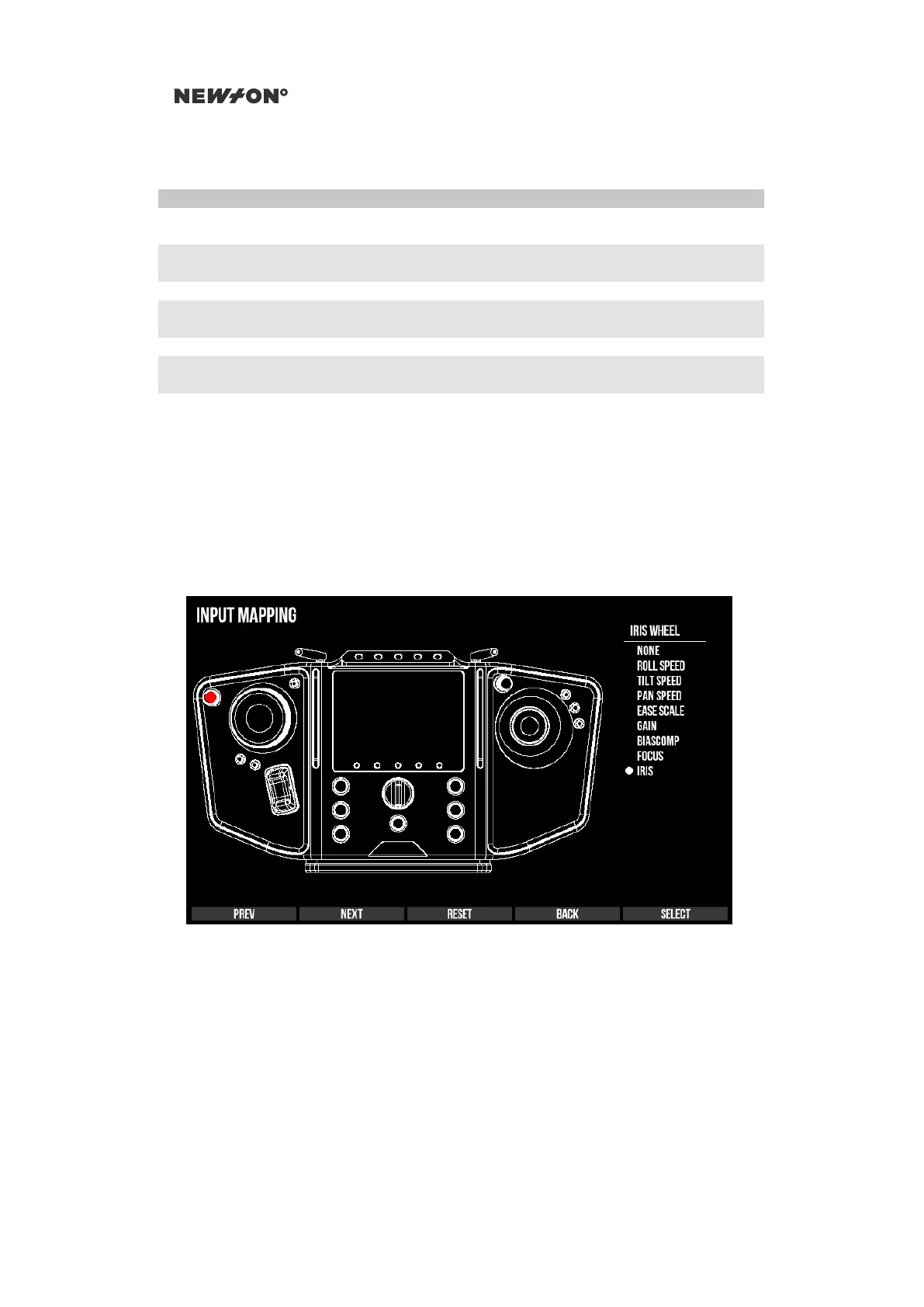
5.5.1 CONTROL REMAPPING
Most inputs of the Newton C1 can remapped to different functionality. To reach the remapping page,
navigate to the ADVANCED settings tab, and then select REMAP INPUTS.
Use PREV and NEXT to navigate between each input or move any physical input slightly and
its automatically selected, indicated by a red marker on the Newton C1 layout sketch. A list appears
to the right where all available functionality that can be mapped to the selected input is shown. Press
CHANGE and navigate through the menu with DOWN and UP. To finalize the remapping press
SELECT or abort by pressing BACK.
Figure 5.7: Newton C1 Settings - Remap input
5.5.2 ABOUT TAB
The About tab contains firmware version and battery information.
DO NOT DISTRIBUTE
Copyright © 2019 Newton Nordic AB


 To Next Page