NEWTON S 18
SYSTEM OPERATION MANUAL
5 Settings
5.1 CONTROLS
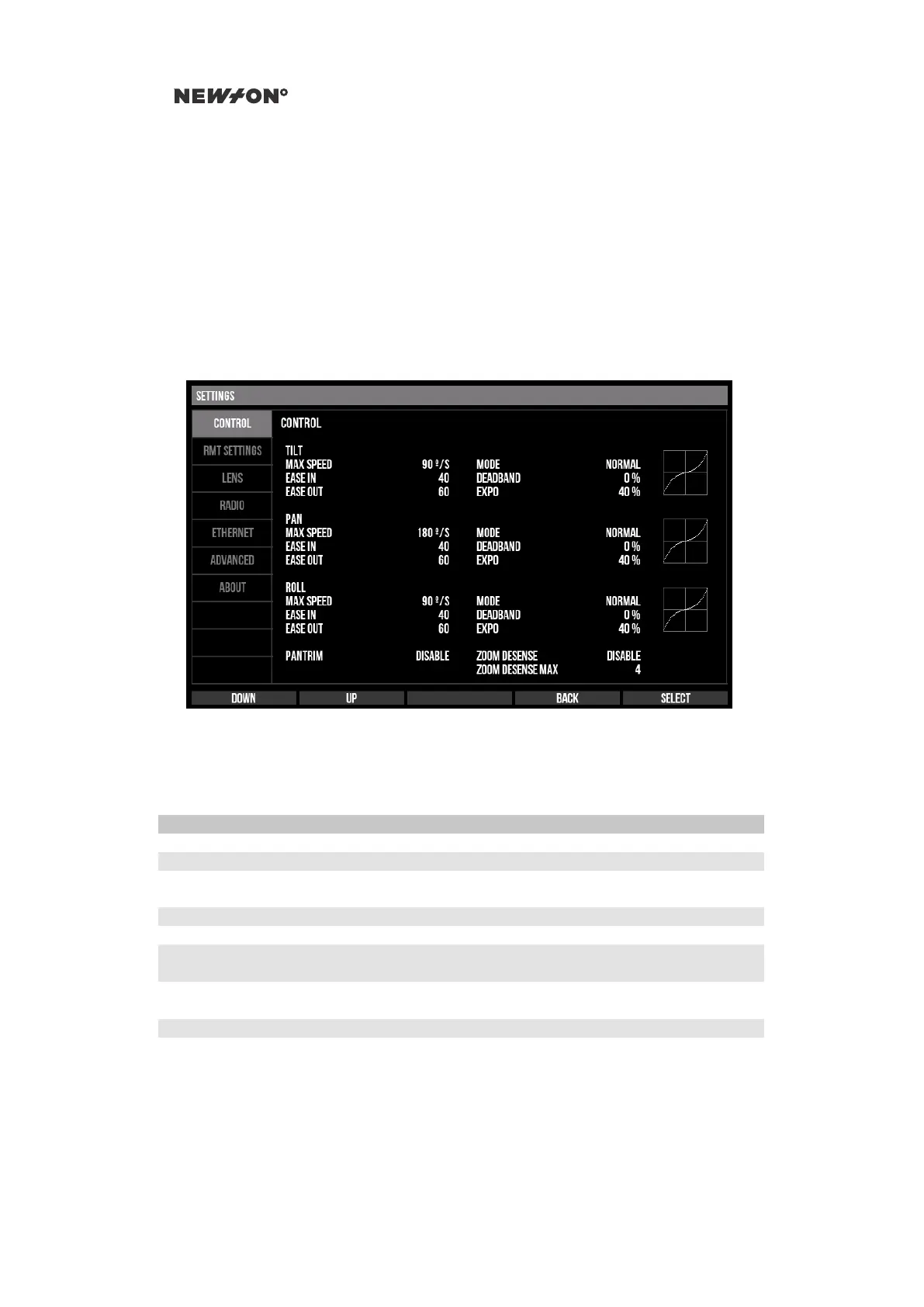
The CONTROL settings tab contains settings related to remote head control/steering. For every axis
there is a setting for the max speed, ease in/out, inverting the axis, dead-band and exponential.
The CONTROL tab also allows enabling or disabling the manual pan axis trim.
Figure 5.1: Newton C1 Settings - Control tab
Table 5.1: Newton C1 Settings - Control tab
Setting Range Description
MAX SPEED 45°/s – 360°/s Maximum speed for axis
EASE IN/OUT 20 – 500 Maximum ease in/out for axis
MODE NORMAL
INVERTED
Axis invert
DEADBAND 0% – 100% Axis dead-band in percent
EXPO −100% – 100% Axis exponential in percent
PANTRIM ENABLE
DISABLE
Activate manual compensation of drift in
pan axis. Amount of trim can be adjusted
ZOOM DESENSE ENABLE
DISABLE
Activate zoom-based desensitation
ZOOM DESENSE MAX 1 - 100 Set the max zoom-based desensitiation
5.2 HEAD CONFIGURATION
The RMT SETTINGS tab allows for tuning of parameters on the remote head.
DO NOT DISTRIBUTE
Copyright © 2019 Newton Nordic AB


 To Next Page