EN 11
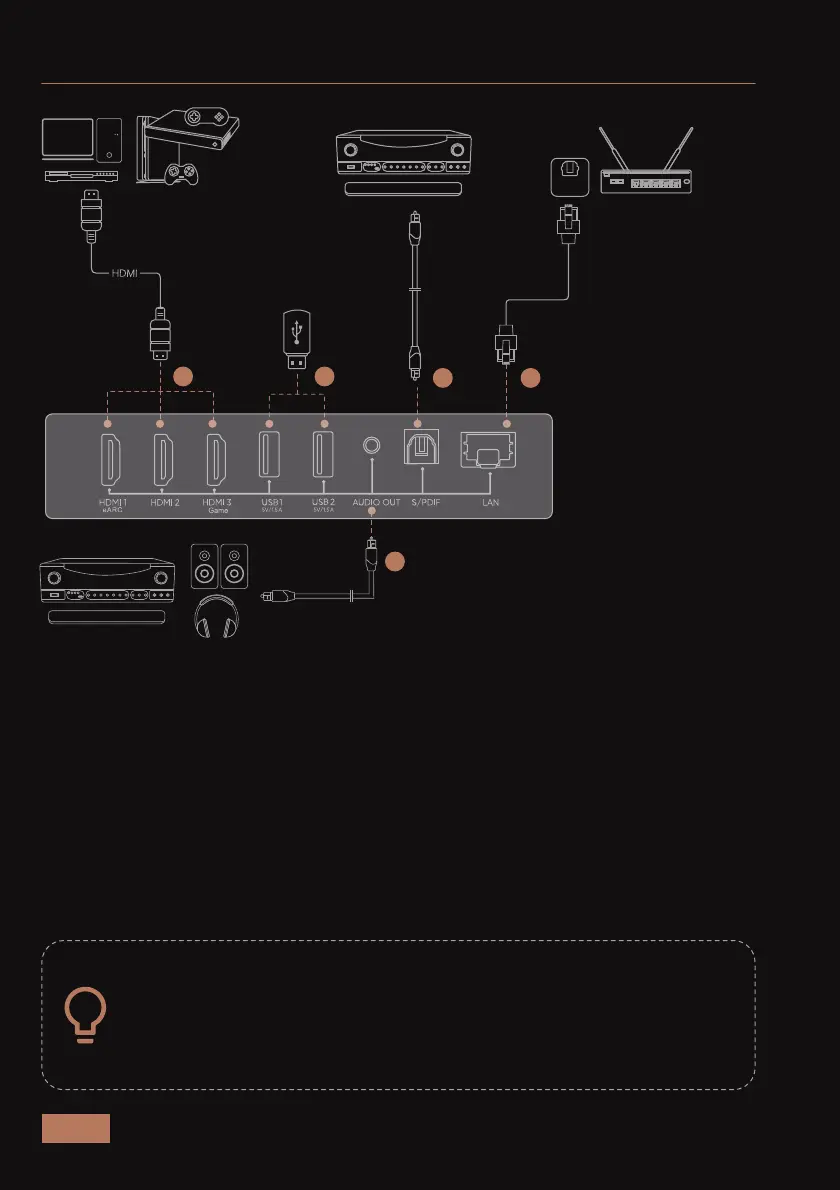
CONNECTORS AND PORTS
When connecting a device to the projector, please be sure to:
1. Turn off all devices before making any connections.
2. Make sure the cable is inserted securely.
3. Use the appropriate cable for the device.
1: HDMI 1 (Support eARC) / HDMI 2 / HDMI 3
To connect items like: cable boxes, DVD players, digital media
players (Roku, Fire TV, etc.), and computers.
2: USB 1 / USB 2 / USB 3
To connect items like mobile hard drives and USB flash drives.
3: Audio Out / S/PDIF
To connect audio devices like sound bar or speakers.
4: LAN
To connect an Ethernet cable.
1
3
3 4
3
2



 To Next Page