EN 17
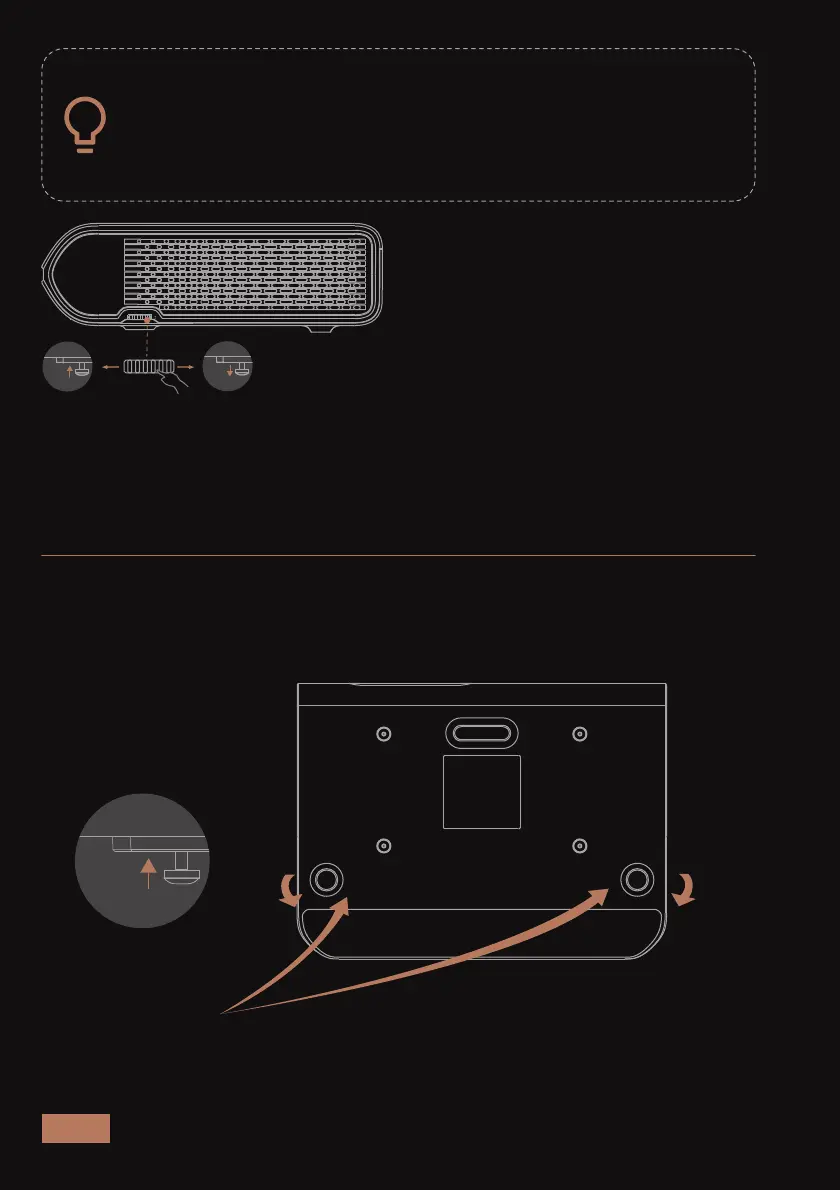
Turn the adjustment wheel forward to raise it.
Turn the adjustment wheel backward to lower it.
ADJUST THE HEIGHT OF THE PROJECTOR’S FEET
Turn the adjustment wheel backward to the lowest height.
IMAGE ADJUSTMENT
Projector’s feet
If the projector is resting on a table, you may need to adjust
the height of the projector’s feet. There are two feet for
vertical height adjustment at the front of the unit and on
the side. As shown in the figure below, turn the height
adjustment wheel to adjust the feet.



 To Next Page