EN 16
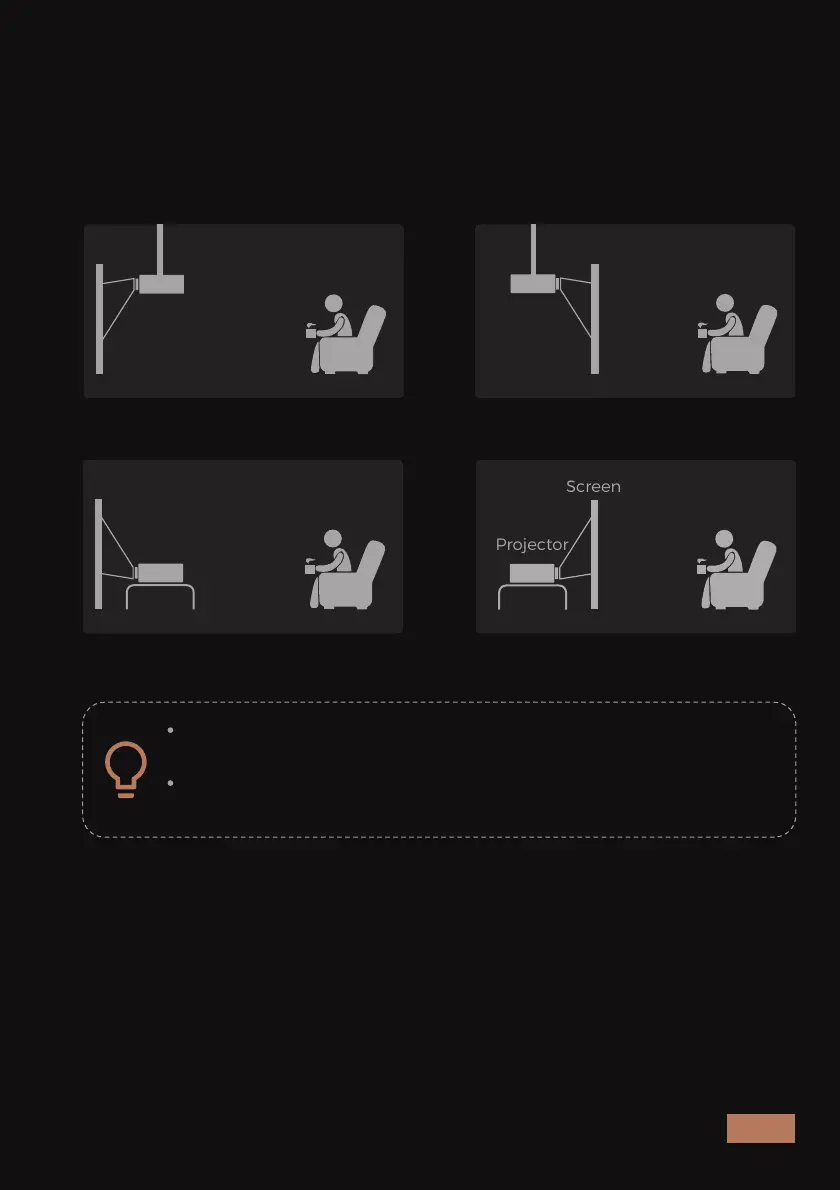
The projector is designed to be installed in one of four layouts. You can
either hang the projector from the ceiling via a special mounting
bracket (NOT INCLUDED), or simply place it on a stable surface. You may
need to change the projection mode so the images project correctly.
Select Projection Mode under Display Setting tab, then choose the
corresponding projection mode for your needs.
Screen
Projector
Screen
Projector
Screen
Projector
Ceiling mounted (front projection) Ceiling mounted (rear projection)
Desktop (rear projection) Desktop (front projection)
Screen
Projector
A rear projection screen is required to use the rear
projection function.
Please use 4 x M4 screws with a length of 16mm when
mounting the projector on the ceiling.



 To Next Page