EN 23
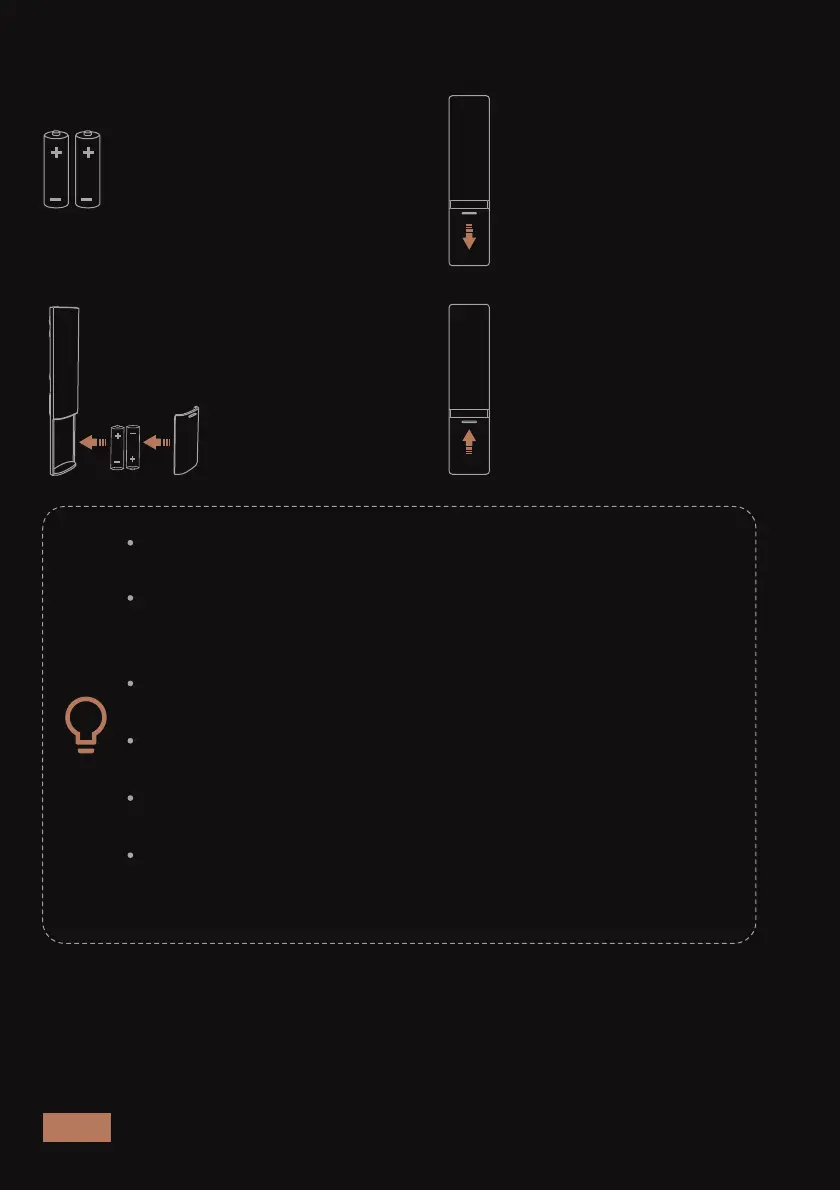
4: Slide the battery cover
back into position.
2: Slide the battery
cover off.
STEP 2 - INSTALL THE BATTERIES
Ensure that the batteries are installed properly. If the battery
compartment has a protective film, please remove it.
Avoid exposing the remote control and its batteries to
excessive heat or humidity, such as in the kitchen, bathroom,
sauna, sunroom or a closed car.
Replace the batteries with only the same or equivalent type
recommended by the battery manufacturer.
Dispose of used batteries according to the local
environmental regulations for your region.
Never dispose of batteries in a fire, as there is a risk
of explosion.
If the battery is dead or the remote control will not be used
for a long time, please remove the battery to avoid battery
leakage and damage to the remote control.
1: Locate the included
batteries.
3: Insert the batteries
(matching + / - polarity as
indicated) into the battery
compartment.



 To Next Page