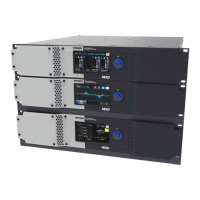
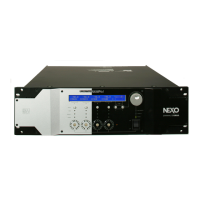
NXAMP4x1
56
[610]
00 CHOOSE TEST < >
11 FLASH
Press the [B] button to start the test. The following dis-
play appears.
11 FLASH
FLASH TEST OK ?
Press the [B] button to continue the test. The test executes
automatically.
If the test result is OK, the display automatically returns
to the test menu screen.
(If an error occurs, “ERROR” appears and the test pro-
gram is stopped.)
4-12. FAN test
4-11. FLASH test
00 CHOOSE TEST < >
12 FAN
Press the [B] button to start the test. The following dis-
play appears.
The FAN starts rotating at low speed.
12 FAN
LOW
Check that the FAN rotates at low speed, and press the
[B] button to continue the test. The following display ap-
pears, and the FAN rotates at middle speed.
12 FAN
MIDD
Check that the FAN rotates at middle speed, and press
the [B] button to continue the test. The following display
appears, and the FAN rotates at high speed.
12 FAN
HIGH
Check that the FAN rotates at high speed, and press the
[B] button to return the display to the test menu screen.
00 CHOOSE TEST < >
13 SLOT
(Remove the [610] plate on the rear panel of the NXAMP4x1,
and insert the SLOT jig into the expansion slot.)
Press the [B] button to start the test. The test executes
automatically.
If every signal is normal, the following display appears
and the LED of the SLOT jig lights.
(If an error occurs, “ERROR” appears and the test pro-
gram is stopped.)
13 SLOT
ANALOG TEST OK ?
Input the 1 kHz, -10 ± 1 dBu sine wave to the channel 1
input terminal and confirm that the output voltage obtained
at the channel 1 output terminal is +19.1 ± 2.0 dBu.
If OK, press the [B] button to return the display to the test
menu screen.
4-14. ATTENUATION test
00 CHOOSE TEST < >
14 ATTENUATION
Press the [B] button to enter the attenuation test mode.
The following display appears.
14 ATTENUATION
NOISE TEST OK ?
Perform the test according to the “Inspection with attenu-
ation test mode”. (See page 60).
If OK, press the [B] button to return the display to the test
menu screen.
4-13. SLOT test
Rear panel

 To Next Page
 Loading...