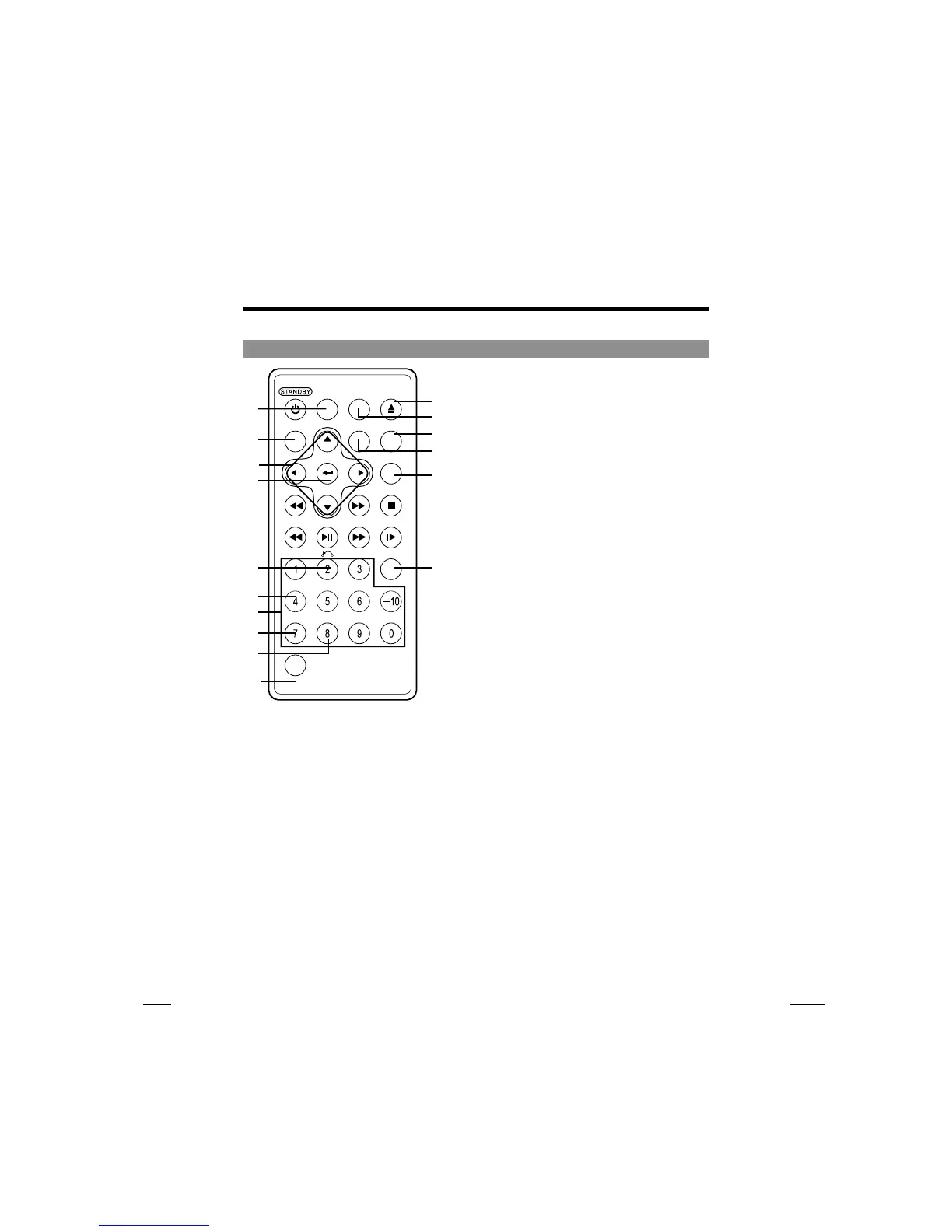
Parts and Functions
Remote control unit (other buttons)
AUDIO button
1
Press this button to switch the audio
language.
Press this button to display setup screen
when at stop status.
Press this button to display Video Enhance
screen during playback.
Use these buttons to move the cursor up,
down, left and right when selecting
setting items .
Press it to enter/confirm setting item.
Press it to return back the previous item.
2 SETUP button2
3 Cursor buttons3
4 ENTER button4
5 RETURN button5
7 Number buttons7
Press these buttons to input numbers.
Pressing the SHIFT button to switch from
function to number if necessary.
6 ZOOM6
Zoom the picture on screen.
8 REPEAT button8
For DVDs, use this button to play titles
or chapters repeatedly. For CDs, use
this button to play tracks or the entire
disc repeatedly.
SHIFT button10
Press the shift button to switch number
& function. (Defaut: function)
OPEN11
Pop out disc.
SUBTITLE button12
PressittoswitchtheDVD's
subtitle language.
13 OSD button13
Press this button to display the disc
information.
14 ANGLE button14
Press it to switch angle.
15 SEARCH button15
Locate a title/ chapter/ time and
play.
16 CLEAR button16
Clear the numbers inputted before.
OPEN
FW
D
AUDIO SUBTITLE
OSD
ANG EL
SETUP
SEARCH
STOPNEXT
STEP/SLOWPLAY/PAUSEREV
SHIFT
C
MENU TITLE
ZOOM
PREV
CLEAR
A-BREPEAT
1
2
3
4
5
6
7
8
9
10
11
12
13
14
15
-20-
9 A-B REPEAT button9
Press this button during playback to set
two points and play the section between
them repeatedly.
16
(Only for VCD, PBC on)



 To Next Page