Setup The Player
GENERAL STEPS OF SETUP
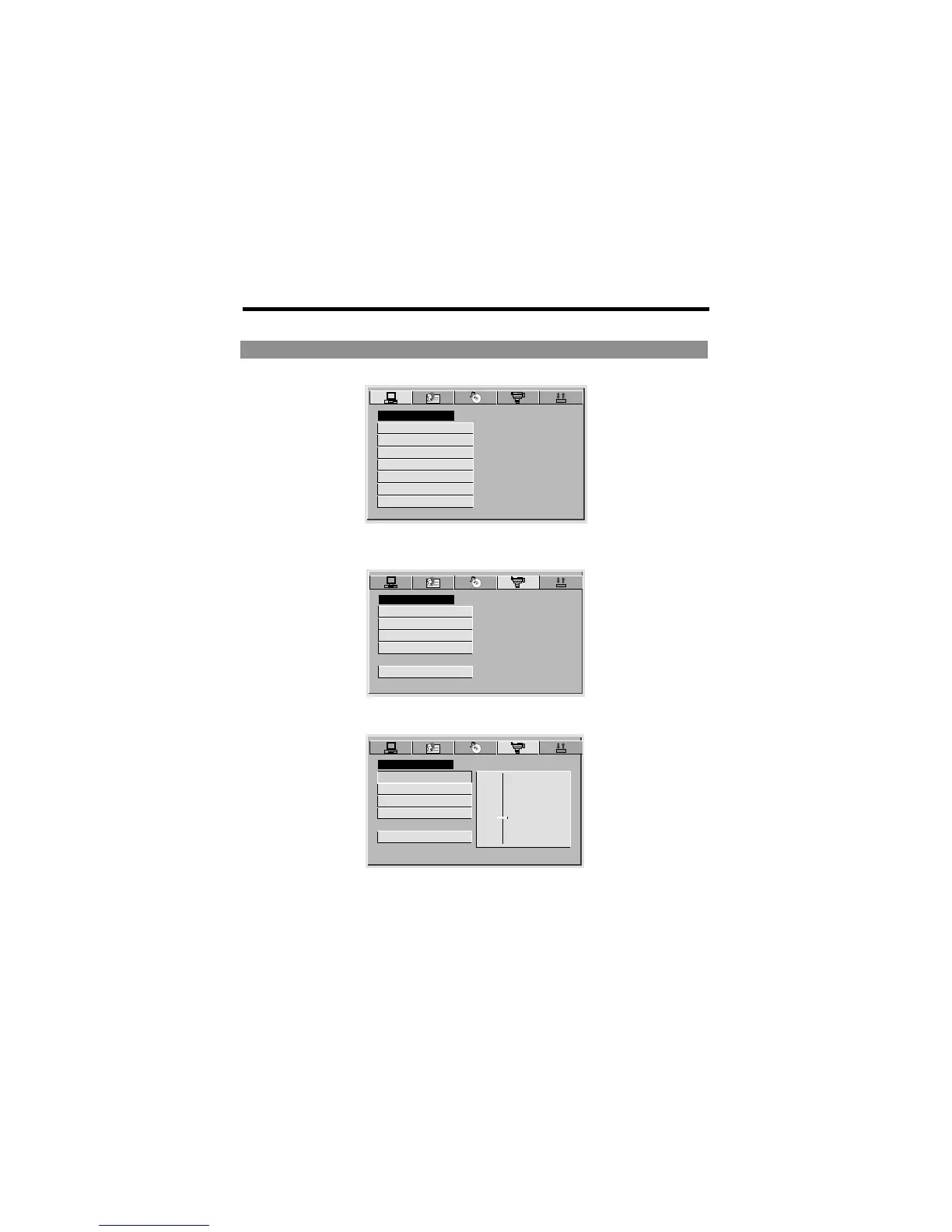
1 Press the SETUP button on the remote control, the main setup menu appears.
SYSTEM SETUP
TV SYSTEM
SCREEN SAVER
TV TYPE
PASSWORD
RATING
DEFAULT
EXIT SETUP
2 Press the LEFT and RIGHT buttons to highlight the icon of the desired page, then
press the DOWN or UP button to activate that page.
VIDEO SETUP
BRIGHTNESS
CONTRAST
HUE
SATURATION
EXIT SETUP
3 Press the DOWN button to highlight the desired option. Press ENTER or press
Right to select, the choices of that option appear .
VIDEO SETUP
BRIGHTNESS
CONTRAST
HUE
SATURATION
EXIT SETUP
-
-
-
-
-
-
-
-
-
-
-
-
-
-
12
10
8
6
2
4
0
4 Press LEFT/RIGHT/UP/DOWN buttons to highlight the EXIT SETUP option, then
press ENTER or SETUP again to exit SETUP MENU.
NOTE:
The pressing of the following buttons will turn off the setup menu, and the choices that
have been changed will be saved: Subtitle, Title, Return, Stop,Play/Pause, Step,Next,
Prev, Zoom, Program, Repeat, Angle, Mute.
-38-



 To Next Page