Using the Battery
Notes for recharging
When the battery pack is hot, it may take longer time than usual for recharging
or may sometimes be unusable to be recharged. Wait for the battery pack to
cool down before retrying recharging.
If the recharge LED can not be lit, check whether the AC adapter and battery
pack are connected firmly to have perfect contact.
To protect the battery pack, do not recharge a fully charged battery pack
repeatedly. Repeated overcharging may deteriorate the battery performance.
The battery pack becomes hot after recharging, but this is not malfunction.
The battery pack may not be recharged fully if recharging at a hot place.
Do not recharge it under very hot environment, it may cause explosion.
The surrounding temperature during recharging affects the recharge efficiency.
Recharge is the most efficient between 10 and 30 . Recharging the battery
pack at a place within this temperature range whenever possible.
-28-
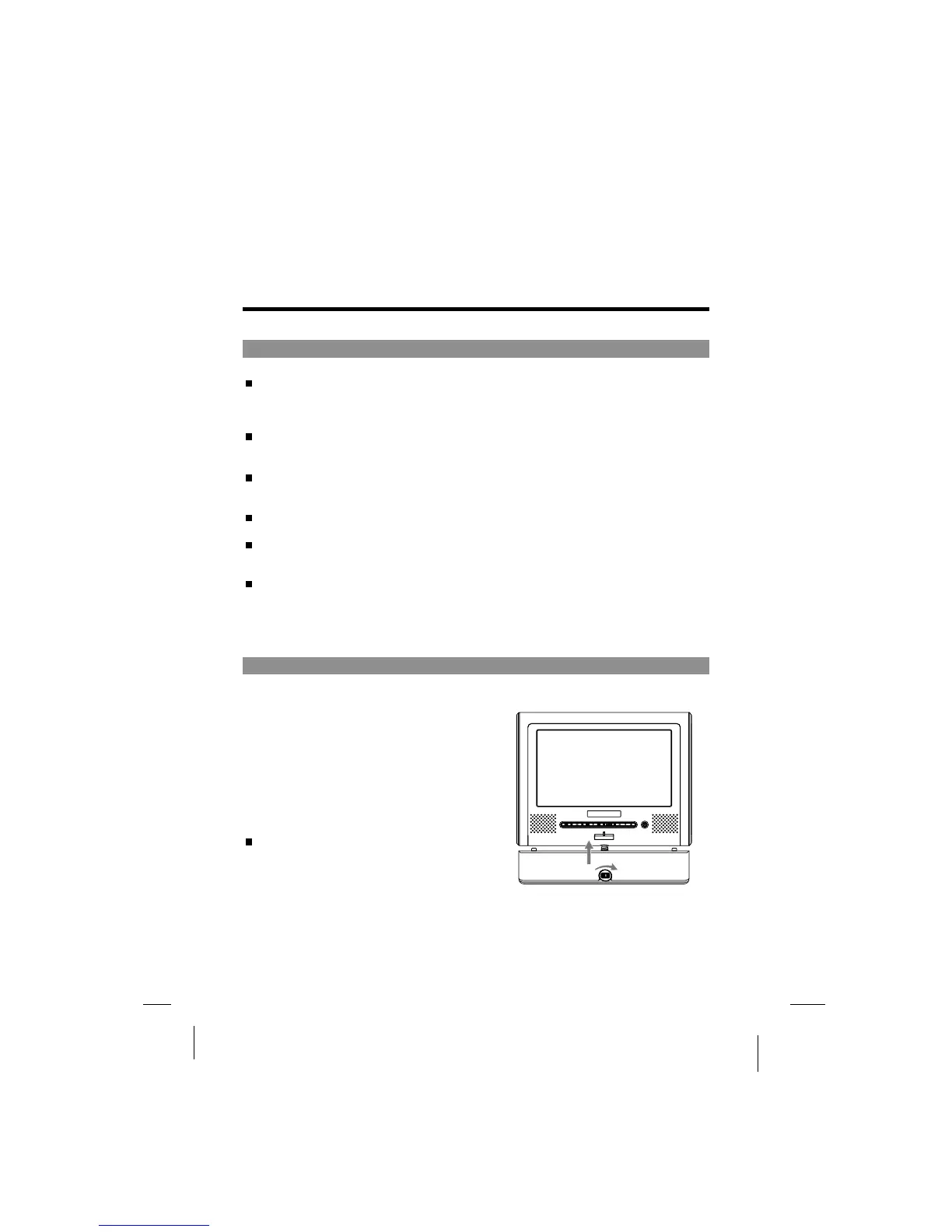
Attaching the battery pack to the player
Attach the battery pack to the player as described below.
1
2
3
Attach the battery pack to the unit.
Align the guide hole of the player
with the guide rod on the battery
pack. Turning the battery knob
clockwise until the battery pack
is tighten with the player.
Now the player can be operated.
1
2
1
2
If the battery pack is fully recharged, the
player can play DVDs continuously for
over 3 hours.
.



 To Next Page