34 Shark HD 500 Series User’s Manual
Virtual Zero (cont.)
Step 7
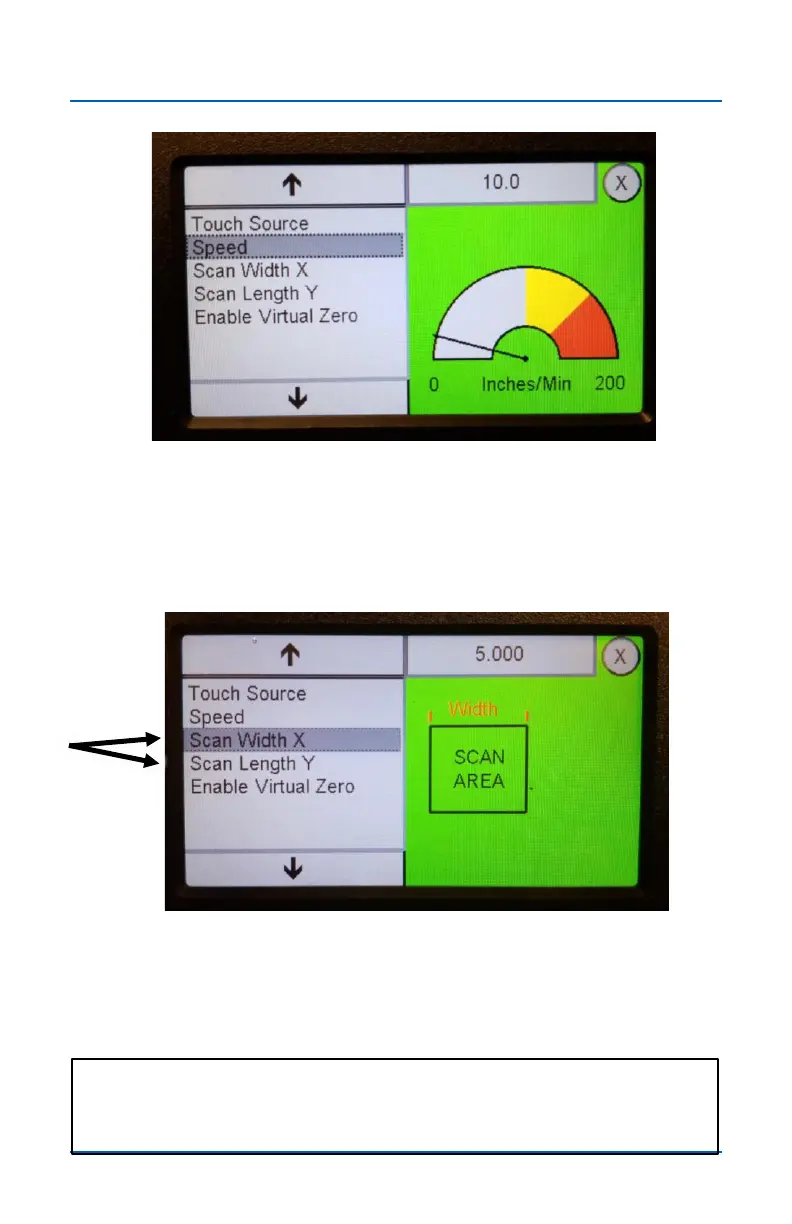
Set the Speed setting. This controls the Z-axis plunge rate
during the Touch Plate process. The default setting of 10 works
well for most situations. To change the setting, press on the
settings field in the top right.
Step 8
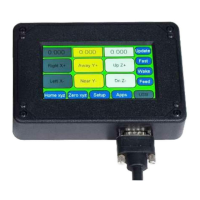
Set the Scan Width X and Scan Length Y for the area you
want to scan. This is typically the size of your cutting area (see
next page).
Note: Setting the Scan area is not required, since you can also
use the VCarve file size as the scan area. This is covered on
pages 39 and 40


 To Next Page