41
v.12/2020
Step 16
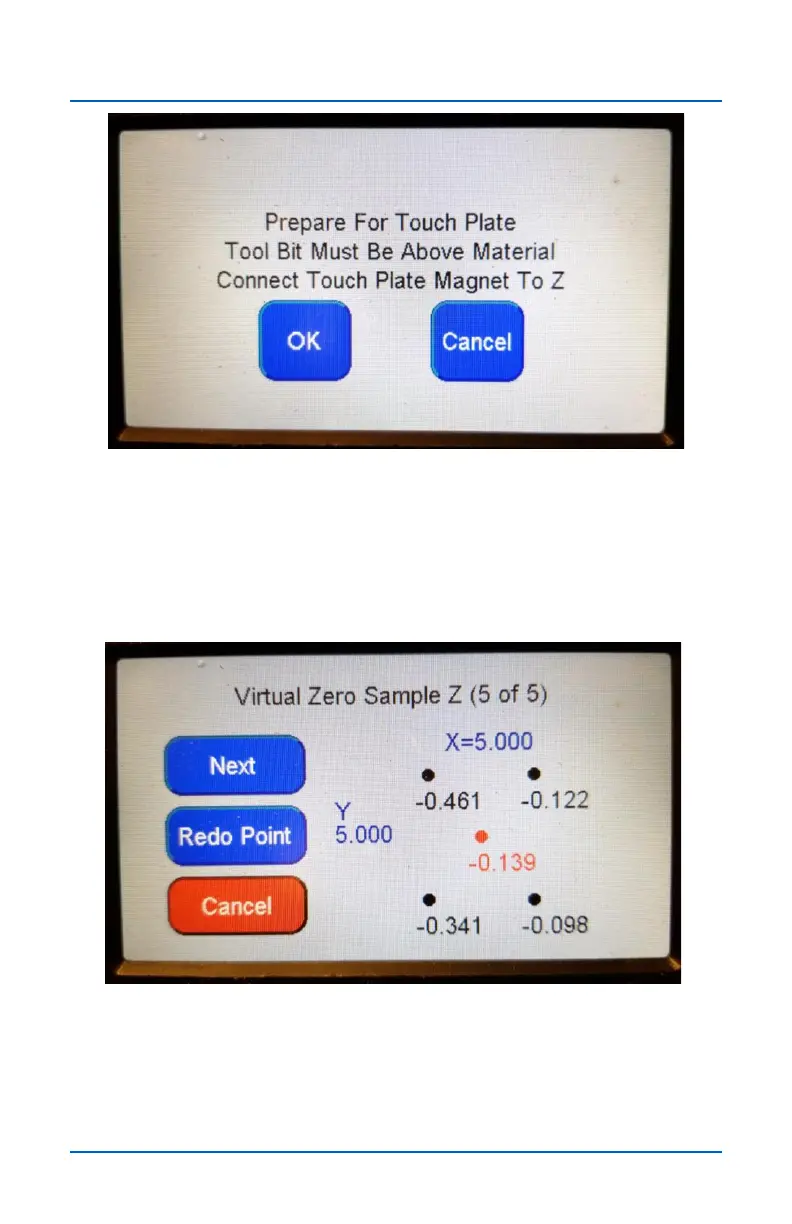
Once activated, Virtual Zero uses the Touch Plate routine to
capture the scan points. It repeats the routine five times in order
to capture the four corners and center point of the scan area.
(See below).
Step 17
The amount that the captured point varies original Z zero
position appears next to each point. After scanning a point you
can Redo Point or press Next to continue.
Virtual Zero (cont.)


 To Next Page