23
7. Test power commands by turning all zones OFF. All components should be OFF. (If not,
manually turn them off.)
8. Turn ON a single zone. All sources should turn ON.
9. Make changes to ON/OFF locations under the power button for sources as needed.
Macros (Version IR1.7 and up)
For each of the 5 external inputs on the C6, there are 17 buttons on the keypad, and an additional
9 buttons on the remote control to which macro sequences can be assigned. This allows each
source to have up to 26 macros assigned to it for a system total of 130 macros. Each button can
have up to 5 keys assigned in its macro. When one of these buttons is pressed, one of two things
happens; If there is no macro assigned to the button, then the IR command for that button is
reproduced. If there is a macro assigned to the button, then the IR command for each key in the
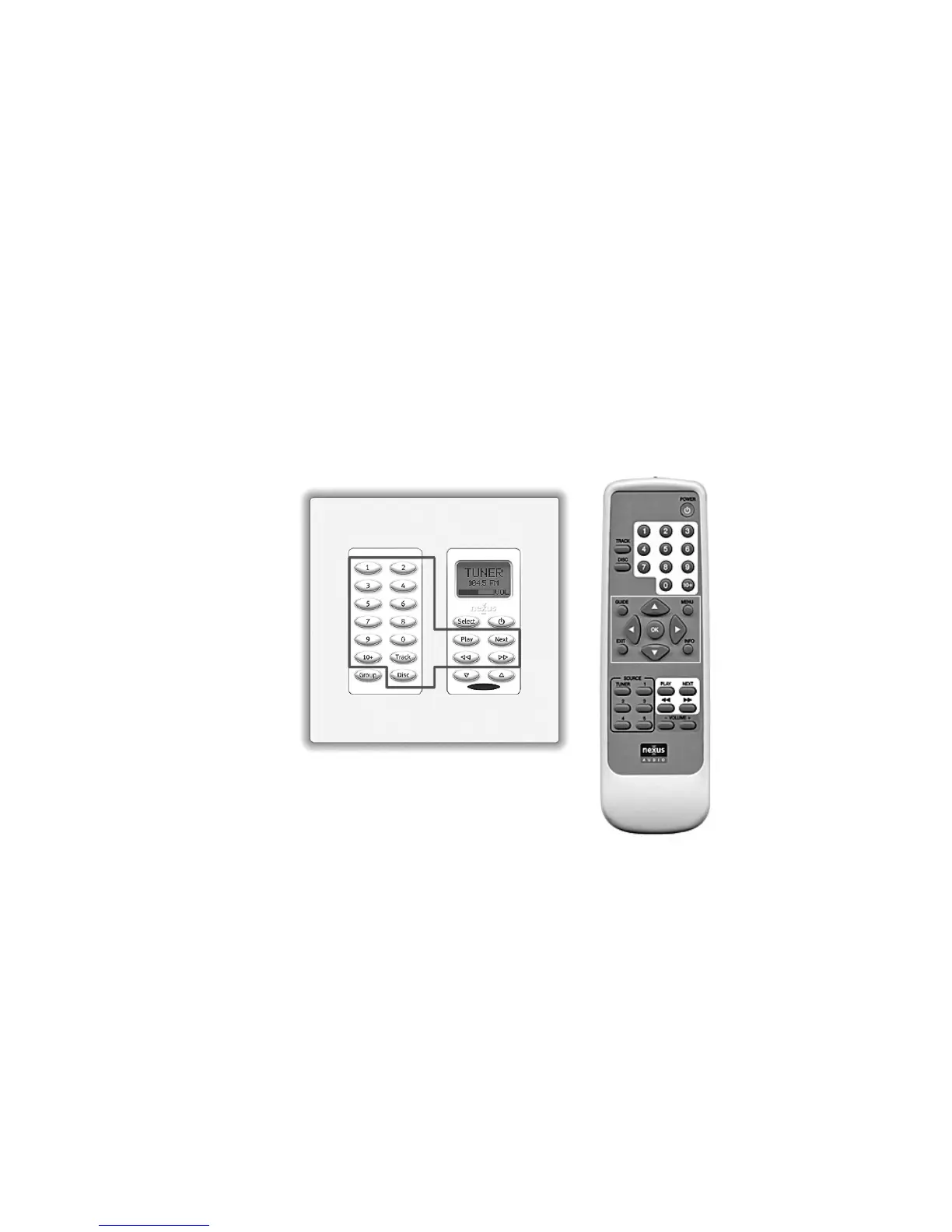
macro (up to 5) is reproduced. Shown in figure13 are the keys on the K-22 and R-1 remote that
can have a macro assigned to them. These are the only keys that can be included in a macro. A
macro assigned to a key can have itself as part of its macro. Please note that since a macro is
just a sequence of other keys, any IR commands you want to include in a macro must already be
programmed to a key for that source. To learn how to program IR commands into the C6, please
refer to page 21 of this manual.
These are the keys on the K22 and R-1 remote to which macros can be assigned.
They are the only keys that can be included in a macro.
Lets go through an example of creating a channel preset for a satellite receiver connected to
input 1, and we want to have a preset for channel 912 that will be called by pressing button ‘1’ on
the K22 (or remote).
Step 1.
For input 1, teach all the IR commands into the C6 main unit. For specific instructions on IR
programming, please see the section on IR programming on page 21 of this manual. During IR
programming make sure to teach the IR commands for all the number commands from the


 To Next Page