25
RS232 PROTOCOL
The C-6 Controller has an RS-232 port that allows the system to be controlled with a touch
screen controller or become a sub-system in a whole-house control package. This allows system
operation such as turning on certain zones for background music when the alarm system is
deactivated. Conversely, a command can be sent to turn all zones off when the alarm system is
activated.
The C-6 Serial Port allows full control of all system functions. In addition to being able to control
the C-6, X-1 and X-2 Controllers ‘on board’ functions (on/off, input select, etc) RS-232 control
includes control of the Tuner and other source components. When the C-6 ‘sees’ a command for
one of the on board functions, it responds accordingly. When it sees a command such as CD
play, the incoming RS-232 command is interpreted in a similar manner to a keypad button press
and the C-6 will output the appropriate corresponding IR command.
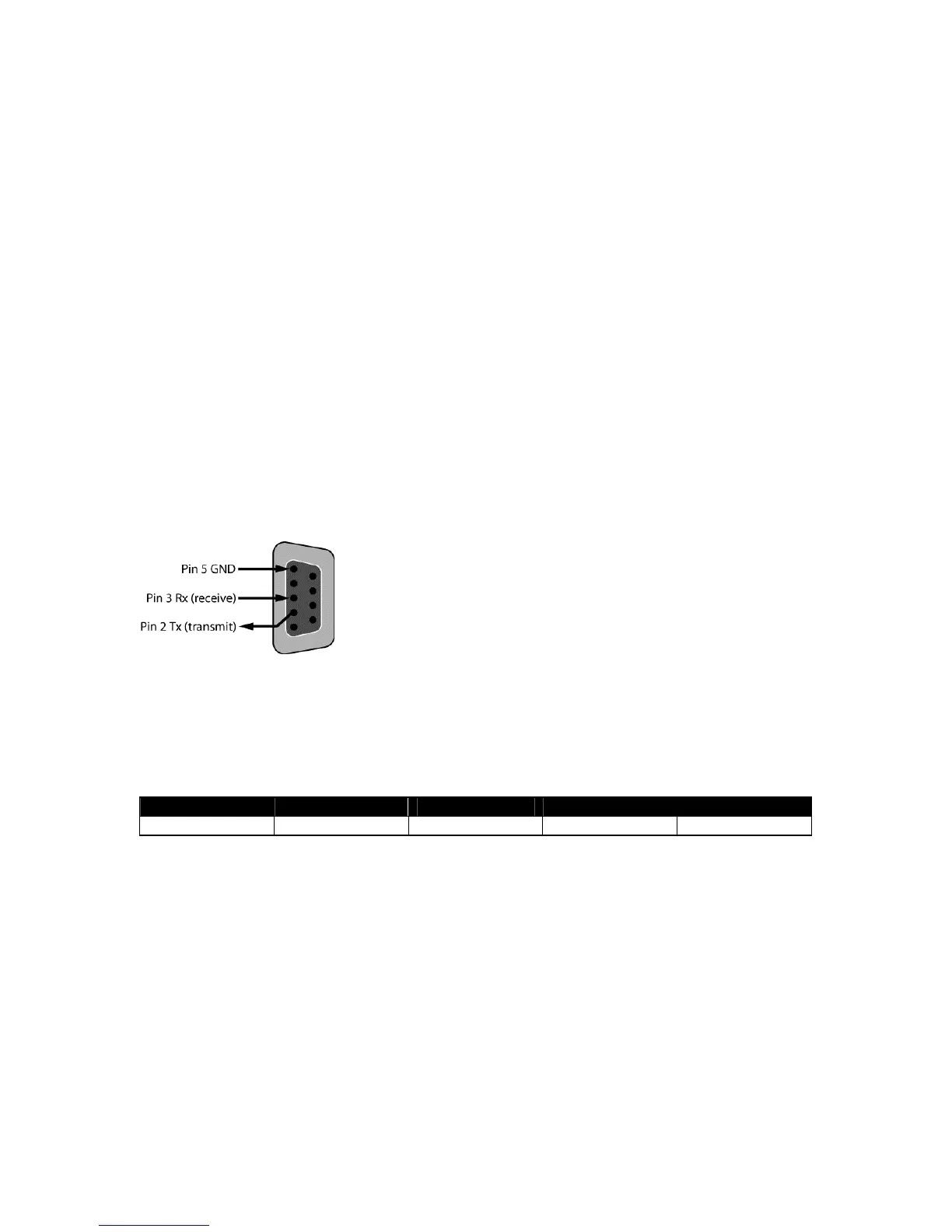
The Serial Port on the C-6 uses a female DB9 connector wired in a DTE configuration. Tx
(transmit) = pin 2, Rx (receive) = pin 3, Ground = pin 5. Communication settings are 9600 baud, 8
bits, no parity, no handshake.
Figure 14. RS-232 Port Pin Out
Baud Rate Parity Data Bits Stop Bits Flow Control
9600 None 8 bits None
Each command must be terminated with a carriage return: <cr>. If an invalid command is sent,
the C-6 will respond with ERR. If a valid command is sent, the C-6 will respond with OK unless it
is a query type command, in which case the C-6 will respond with information. Every response
from the C-6 is terminated with CR/LF.
The C-6 sends out unsolicited information whenever a keypad is operated. The syntax is the
same as that used for controlling the C-6. For instance, if someone turns on Zone 1 via a keypad,
the C-6 will transmit Z011 out of the serial port. The string will be terminated with CR/LF.


 To Next Page
 Loading...