26
RS232 Command Reference
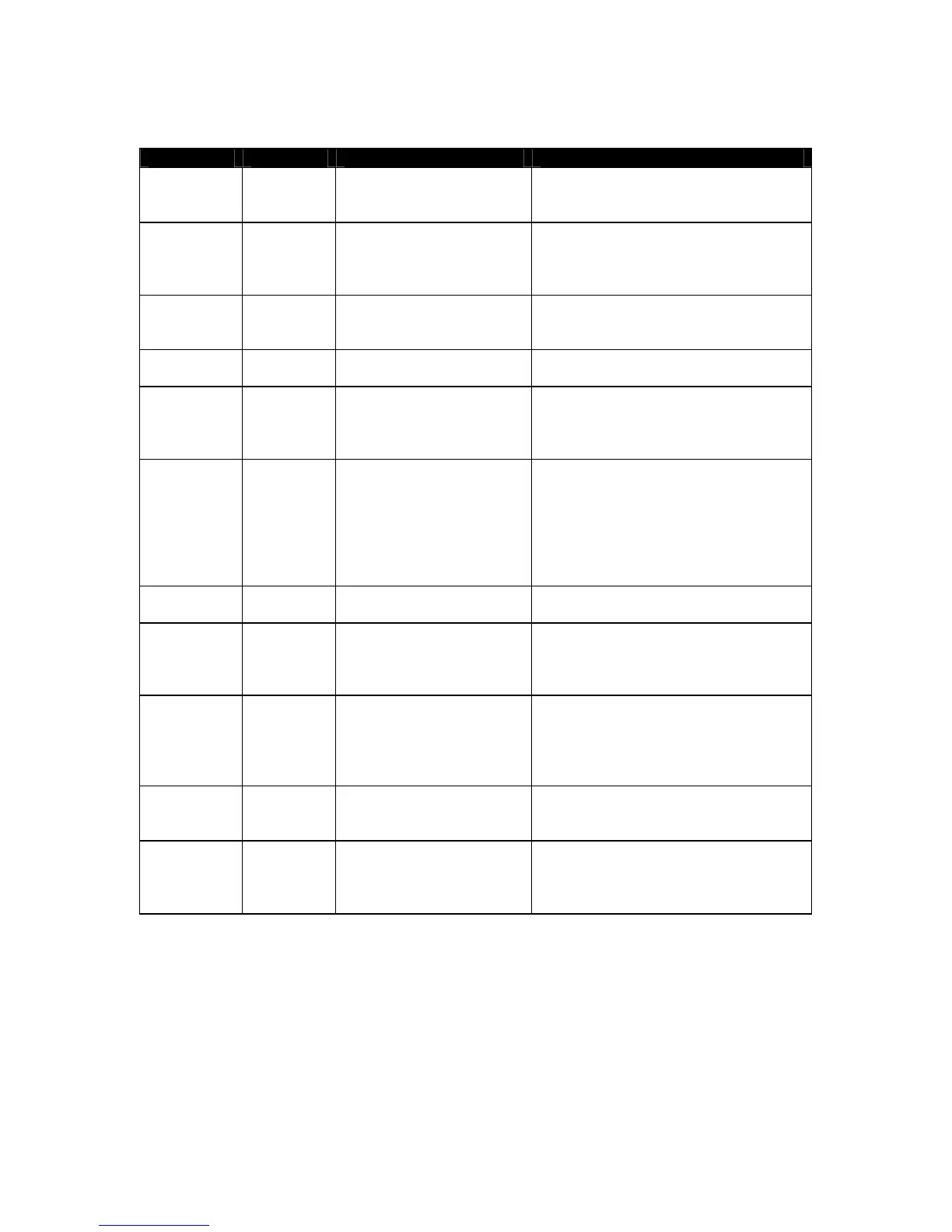
Command Syntax Parameters Description
Zone Power Zxxy<cr> xx=zone, valid range 01-18
Y=state, 1=on, 0=off
Similar to pushing the power button on
the remote keypad. This will power
up/down the specified zone
Zone Power
Query
Zxx?<cr> xx=zone,
valid range 01-18
Ask the C-6 if a zone is on or off. The C-
6 will respond with Zxx1 for zone on, and
Zxxo for zone off. Xx is the zone number
queried.
All off Za0<cr> 0=off Turn all zones all zones off. If Expansion
Controllers are connected, their zones
will also be turned off.
Source Select Sxxy<cr> xx=zone, valid range 01-18
y=input, range T, 1-5
Similar to selecting a source on a remote
keypad. T=tuner. 01-05=inputs 1-5.
Source
Query
Sxx?<cr> xx=zone, valid range 01-18 Ask the C-6 what input a zone is on. The
C-6 will respond with Sxxy, where xx is
the zone number queried and y the input
it is set to.
Function Fxxyy<cr> Xx=zone, valid range 01-18
yy=function,
FF, RW, PL, NE, TR, DI,
OK, UP, RI, DN, LE, GU,
ME, IN
Similar to pressing a function on a keypad
or remote. FF=fast forward, RW=rewind,
PL=play, NE=next, TR=track, DI=disc;
R-1 Remote only: OK=OK, UP=nav up,
RI=nav right, DN=nav down, LE=nav
left, GU=guide, ME=menu, EX=exit,
IN=info.
Numeric Nxxy<cr> xx=zone valid range 01-18
y=function, range 0 - 9, A
Similar to pressing a numeric button on
the remote keypad. A= the +10 button.
Volume
Absolute
Vxxyy<cr> xx=zone, valid range 01-18
yy= volume, range 00-79
Set an absolute volume level in a C-6
zone. NOTE: yy number is in dB so 00 is
the loudest at 0dB and 79 is the softest at
-79dB.
Volume
Query
Vxx?<cr> xx=zone, valid range 01-18 Ask the C-6 what volume a zone is set to.
The C-6 will respond with Vxxyy where
xx is the zone number, (01-18) and yy is
the volume of that zone (00-79) which
corresponds to 0dB to -79dB.
Volume Step Vxx++cr>
or
Vxx- -<cr>
xx=zone, valid range 01-18 Increase or decrease the volume of a zone
by one step (1dB).
Frequency
Query
FREQ?
<cr>
None Query what frequency the Tuner is on.
The reply will be ‘FM’ or ‘AM’ followed
by the frequency. Example: ‘FM105.9’ or
‘AM1010’


 To Next Page
 Loading...