8
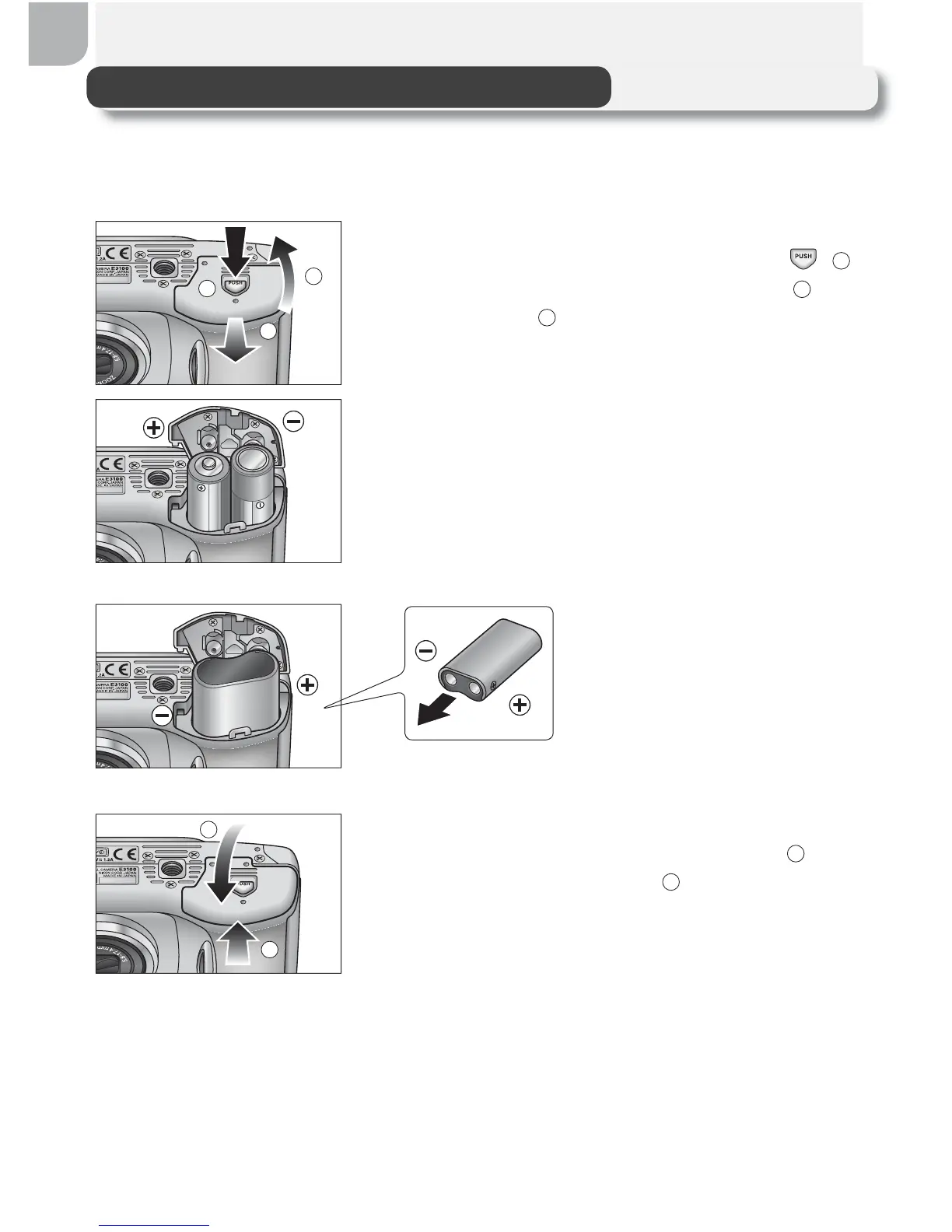
Inserting Batteries
Your camera uses:
• Nikon EN-MH1 rechargeable nickel-metal hydride (NiMH) batteries (× 2), or
• non-rechargeable CRV3 lithium batteries (× 1)
1
Open the battery-chamber cover
Pressing the battery-chamber latch (
;
1
),
slide the battery-chamber cover out (
2
) and
fl ip it open (
3
).
2
Insert the batteries
Insert the batteries as shown in the label
inside the battery chamber.
3
Close the battery-chamber cover
Close the battery-chamber cover (
1
) and
slide it in until it latches (
2
). Be sure that the
battery-chamber cover is properly latched.
CRV3
EN-MH1/AA
1
2
3
1
2



 To Next Page
 Loading...










