67
The Shooting Menu
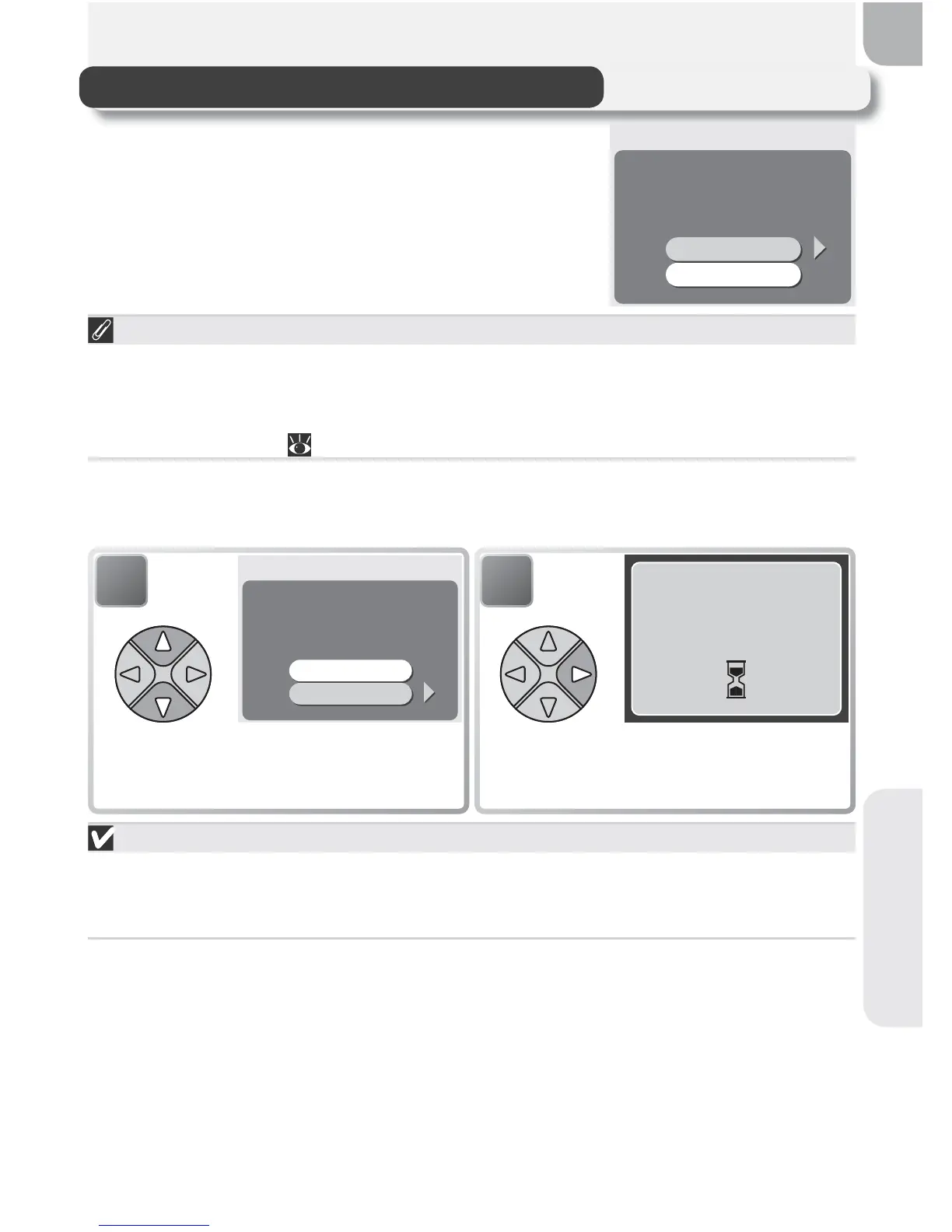
CF Card Format
The memory card provided with your camera
is formatted at shipment. If you purchase ad-
ditional memory cards for added storage, you
will however need to format the cards before
fi rst use.
CF CARD FORMAT
WARNING!
All images will be
deleted!
No
Format
SET
Before Formatting
Formatting memory cards permanently deletes all data they contain,
including protected pictures and any other data that may be on the
card. Before formatting, be sure to transfer to a computer any pictures you
would like to keep ( 45–47).
Selecting CF card format displays the confi rmation dialog shown above. To
format the memory card:
During Formatting
Do not turn the camera off, remove the batteries or memory card, or
unplug the AC adapter (available separately) while formatting is in
progress.
1
CF CARD FORMAT
WARNING!
All images will be
deleted!
No
Format
SET
Highlight to Format (to exit without
formatting card, highlight No and
press multi selector to right).
2
FORMATTING
Begin formatting. While formatting
is in progress, message shown above
will be displayed.



 To Next Page
 Loading...










