56
Using the Shooting Menu
The shooting menu contains the following options:
Option Description
Image quality/size Choose image size and quality. 58–59
White balance
(
mode only)
Match white balance to your light source. 60–61
Exp. +/–
Adjust exposure for very bright, very dark, or high-con-
trast subjects.
62
Date imprint Imprint pictures with the date and/or time of recording. 63
Continuous
(
mode only)
Take pictures one at a time or in a sequence. 64
BSS
(
mode only)
Turn the Best Shot Selector (BSS) on or off. 65
Image sharpening
(
mode only)
Control how much outlines in your pictures are sharp-
ened.
66
CF card format Format memory cards for use in the camera. 67
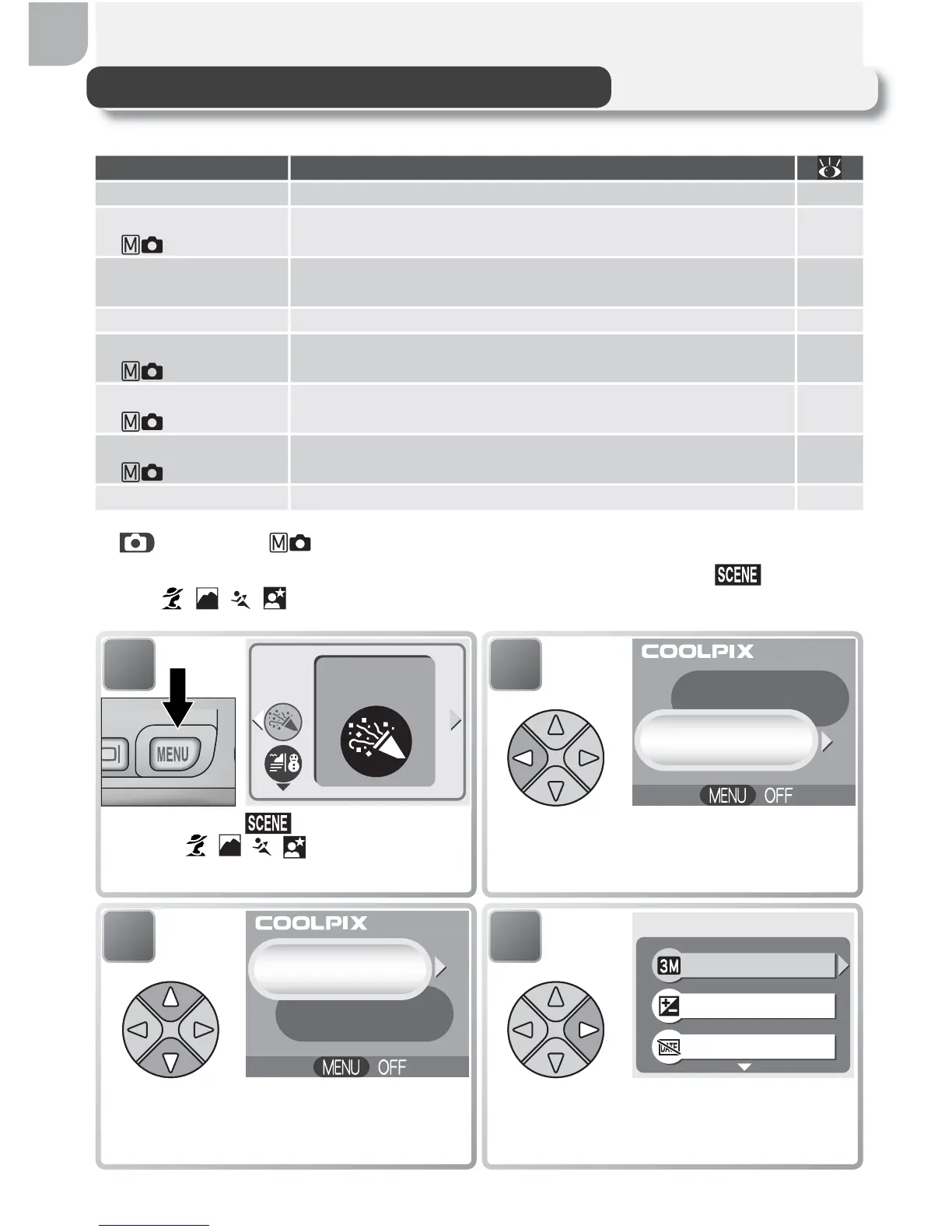
In (auto) and (manual) modes, the shooting menu is displayed when
the MENU button is pressed. To display the shooting menu in (scene) or
assist ( , , , ) modes:
2
SCENE MENU
SHOOTING MENU
SET
Display menu selection screen.
1
Display scene ( mode) or framing
assist ( , , , modes) menu.
Party/Indoor
SET
4
Date imprint
Image quality/size
Exp.+/–
SHOOTING MENU
SET
Display shooting menu.
3
SET
SCENE MENU
SHOOTING MENU
Highlight SHOOTING MENU.



 To Next Page
 Loading...










