10
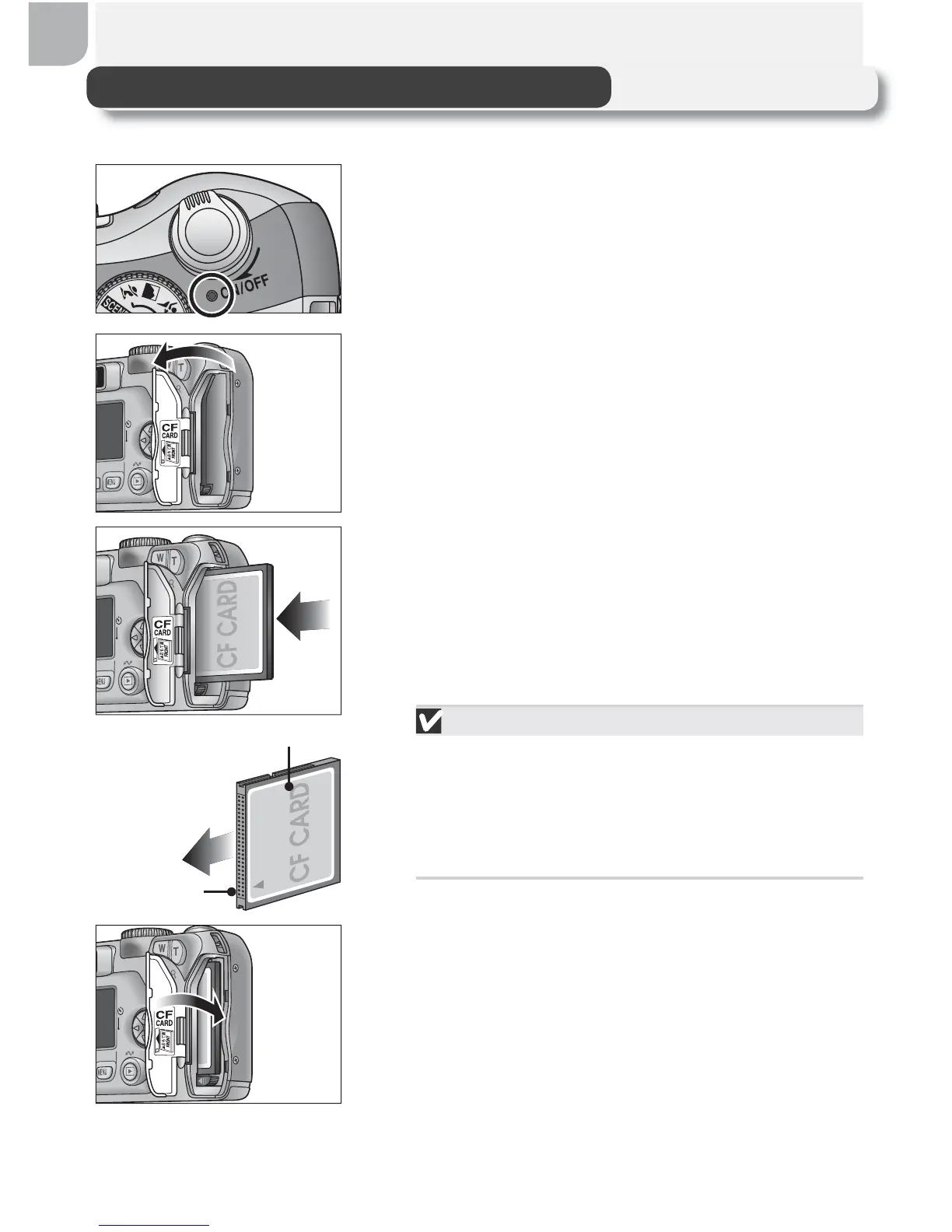
Inserting Memory Cards
Your Nikon digital camera stores pictures on CompactFlash
™
memory cards.
1
Confi rm that the camera is off
The power-on lamp should be off.
2
Open the memory card slot cover
3
Insert the memory card
Insert the memory card in the direction of the
arrow as shown in the label on the underside
of the memory card slot cover. The memory
card is fully inserted when the eject button is
level with the top of the memory card.
Inserting Memory Cards
Insert the memory card terminals fi rst. In-
serting the card upside down or backwards
could damage the camera or the card.
Check to be sure the card is in the correct
orientation.
4
Close the memory card slot cover
Front
Direction of
insertion
Terminals



 To Next Page
 Loading...










