96
Basic Camera Setup: The Setup Menu
Shooting, Playback, and Setup Menus
Z Monitor Settings
The following options are available:
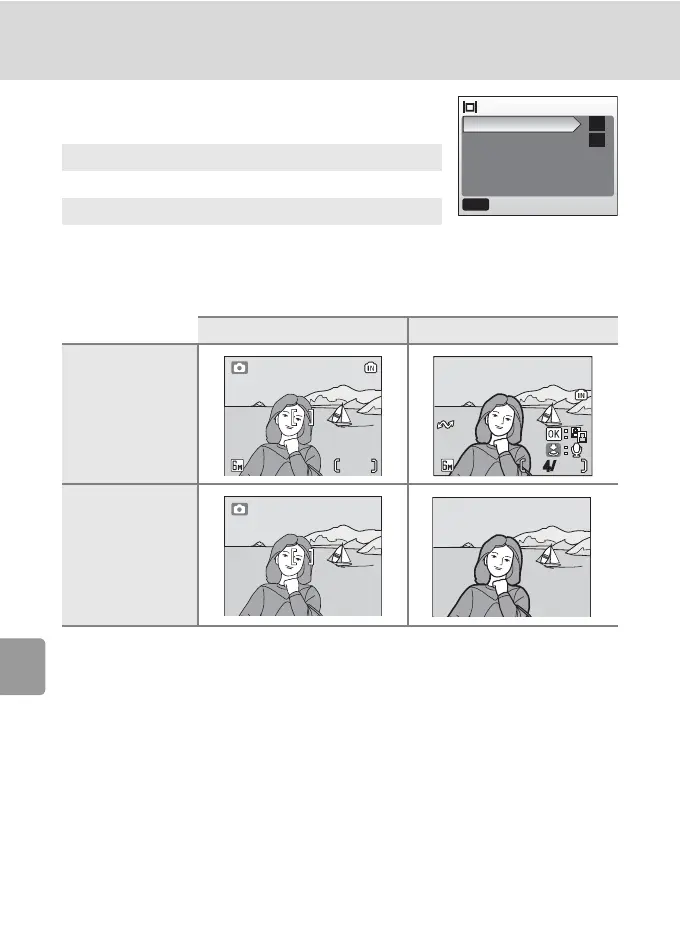
Photo Info
The following display options are available:
l Photo Info
See “The Monitor” for information on indicators in the monitor (c 6).
Photo info
Choose information displayed in the monitor.
Brightness
Choose from five settings for monitor brightness.
Shooting mode Playback mode
Show info
(default setting)
Hide info
Monitor settings
Photo info
Brightness
MENU
Exit
--
4
16
16
100NIKON
4
/
15:30
15:30
100NIKON
0005.JPG
0005.JPG
10.10.2006
44
10.10.2006



 To Next Page
 Loading...










