6
Before You Begin
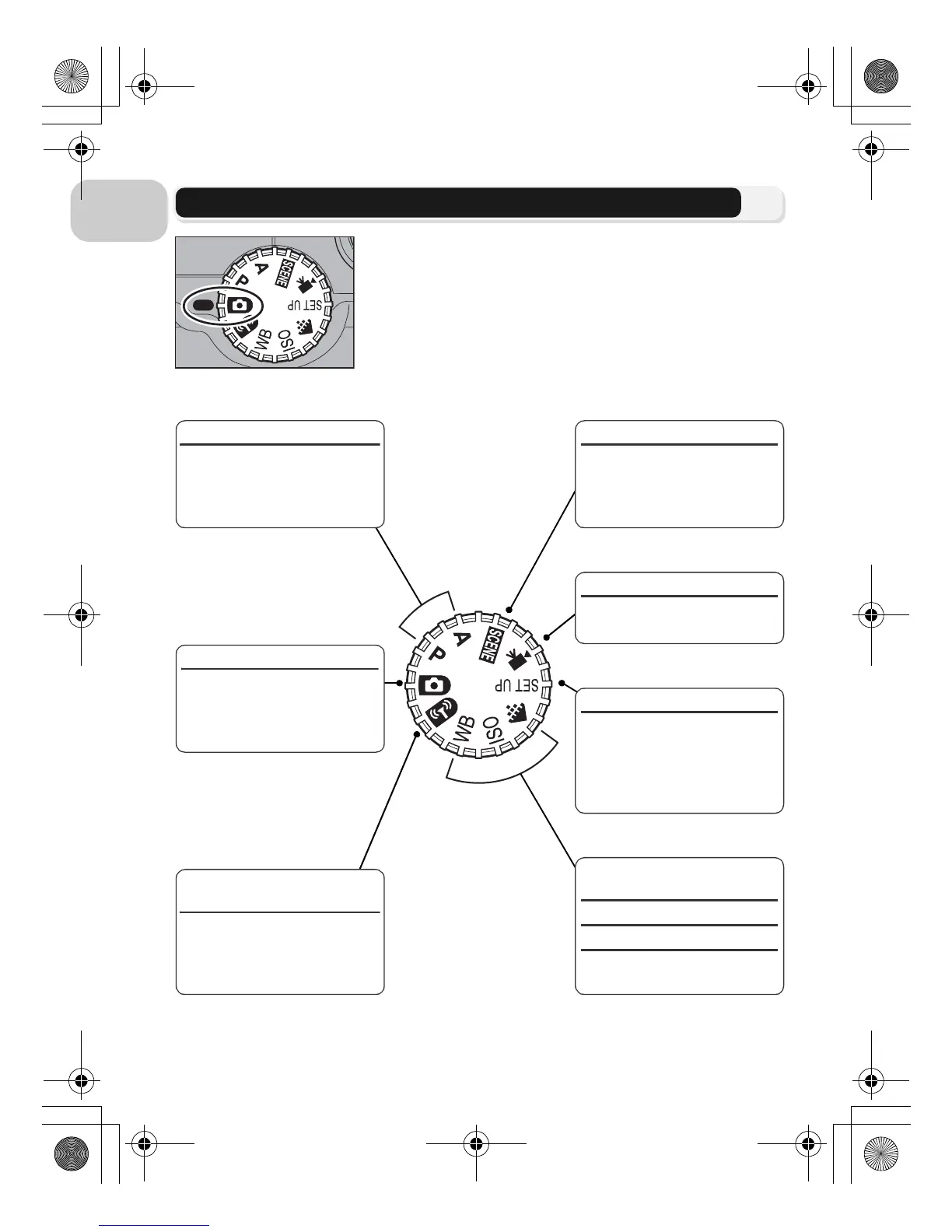
The Mode Dial
b Scene (c34)
Choose from 16 “scenes”
suited to different subjects
or shooting conditions and
let the camera do the rest.
S Movie (c80)
Choose from seven movie
modes.
a Setup (c115)
Display the Set-up menu,
where you can perform
such tasks as setting the
camera clock and adjusting
monitor brightness.
P A (c45)
Choose these modes for
varying degrees of control
over shutter speed and ap-
erture.
X Auto (c18)
A simple “point-and-
shoot” mode recommend-
ed for first time users of
digital cameras.
Y Wireless Transfer mode
(c133)
Connect the camera to a
wireless LAN and transfer
pictures to a computer or
print images from a printer.
Z
Image quality/Image size
(c47)
W ISO sensitivity (c50)
d White balance (c52)
Display menus of each op-
tion.
To select a mode, align the mode icon with the “q”
mark next to the mode dial.
en_q3175.book Page 6 Thursday, June 16, 2005 10:54 AM















 To Next Page