8
First Steps
First Steps
Charging the Battery
The camera uses a rechargeable Nikon EN-EL8 lithium-ion battery (supplied).
Charge the battery before first use or when the battery is running low.
1
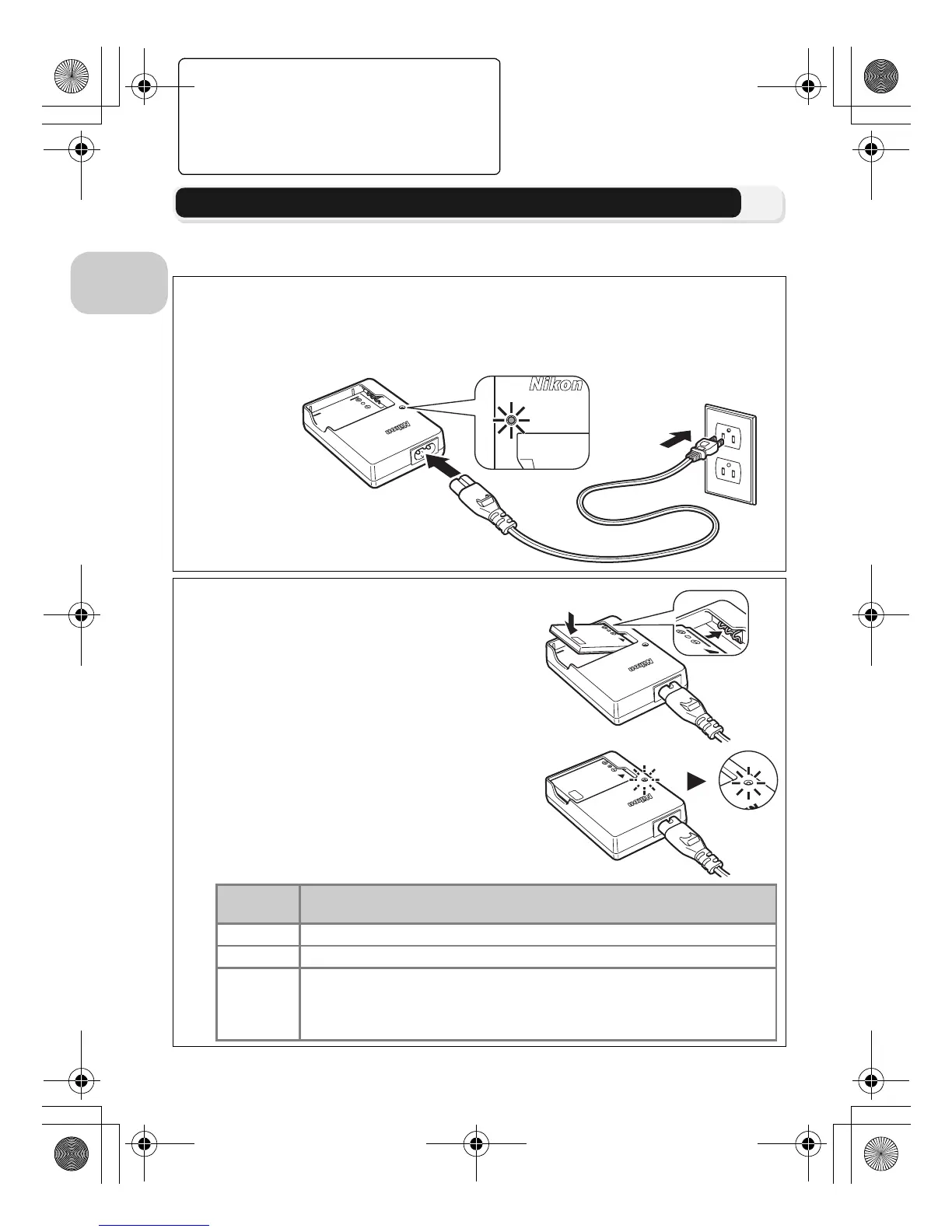
Connect the power cable
Connect the power cable to the supplied MH-62 battery charger (1) and insert
the wall plug into a power outlet (2). The CHARGE lamp will light to show that
the charger is on (3).
2
Charge the battery
Remove the terminal cover from EN-EL8 and
insert the battery into the MH-62.
CHARGE lamp starts blinking when battery
is inserted. Charging is complete when lamp
stops blinking.
About two hours are required to charge a
fully depleted battery.
M
H
-
6
2
LITH
IU
M
ION
B
A
T
T
ERY C
H
A
R
G
E
R
CHA
R
G
E
CHARGE
lamp
Description
Blinks Battery charging.
On Battery fully charged.
Flickers
Battery error. If ambient temperature is not 0 to 40 °C (32 to 104 °F),
wait until temperature is in this range before charging. Otherwise
unplug charger and remove battery immediately and take both
devices to retailer or Nikon-authorized service representative.
en_q3175.book Page 8 Thursday, June 16, 2005 10:54 AM















 To Next Page