11
First Steps
Replacing Batteries
Turn the camera off and make sure that the power-on lamp
has gone out before opening the battery-chamber/memory
card slot cover.
Slide the battery latch in the direction indicated to eject the
battery, which can then be removed using your fingers.
• Note that the battery may become hot during use. Ob-
serve due caution when removing the battery.
Alternative Power Sources
To power the camera continuously for extended periods, use an optional EH-62C AC adapt-
er. Do not, under any circumstances, use another make or model of AC adapter kit.
Failure to observe this precaution could result in overheating or in damage to the camera.
3
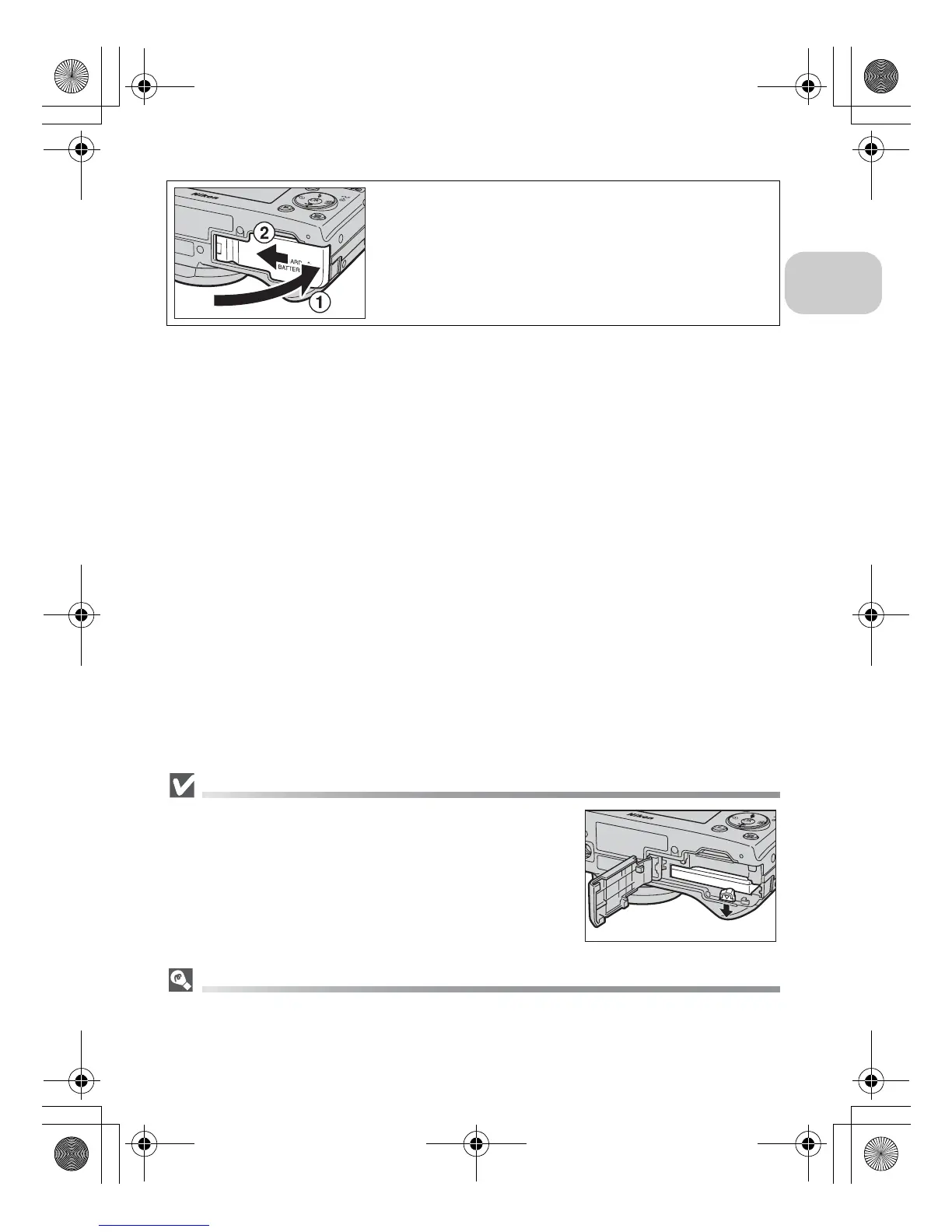
Close the battery-chamber/memory
card slot cover
Close the cover (1) and slide it in until it latches
(2).
Ensure the cover is closed firmly.
en_q3175.book Page 11 Thursday, June 16, 2005 10:54 AM















 To Next Page