15
6
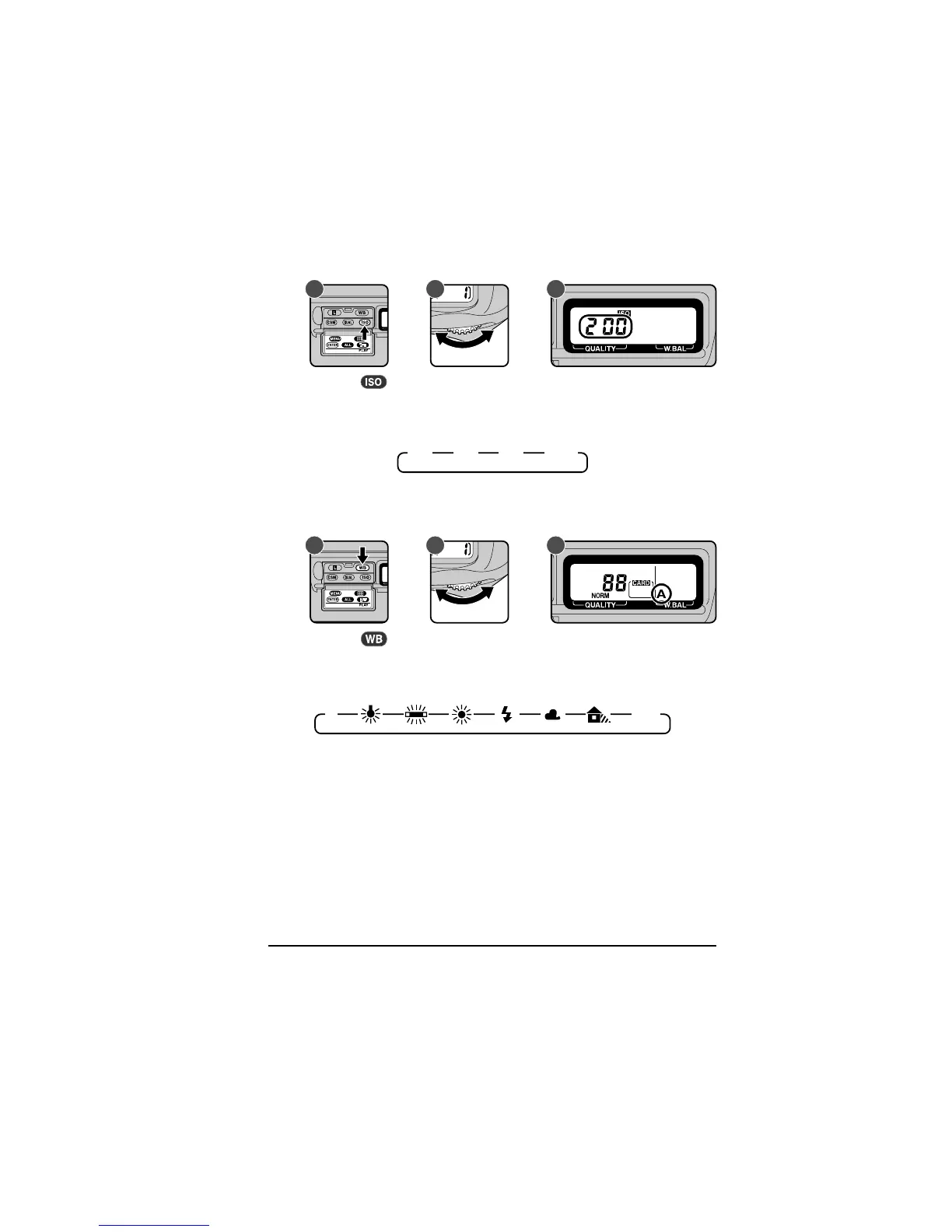
.3 Set sensitivity to ISO 200 equivalent
A CB
Hold the
button down (A) and turn the main command dial (B). The
sensitivity display in the rear control panel will cycle through the
sensitivity settings as shown below. Stop when the display shows 200
(ISO 200 equivalent).
See “Camera Settings: Sensitivity” for more information.
6
.4 Set white balance to A (auto)
200 400 800 1600
A CB
Hold the button down (A) and turn the main command dial (B). The
white-balance display in the rear control panel will cycle through the
white-balance settings as shown below. Stop when the display shows
A (auto white balance).
A PRE
See “Camera Settings: White Balance” for more information.
First Steps: Take a Photograph



 To Next Page