80
Thumbnail Playback
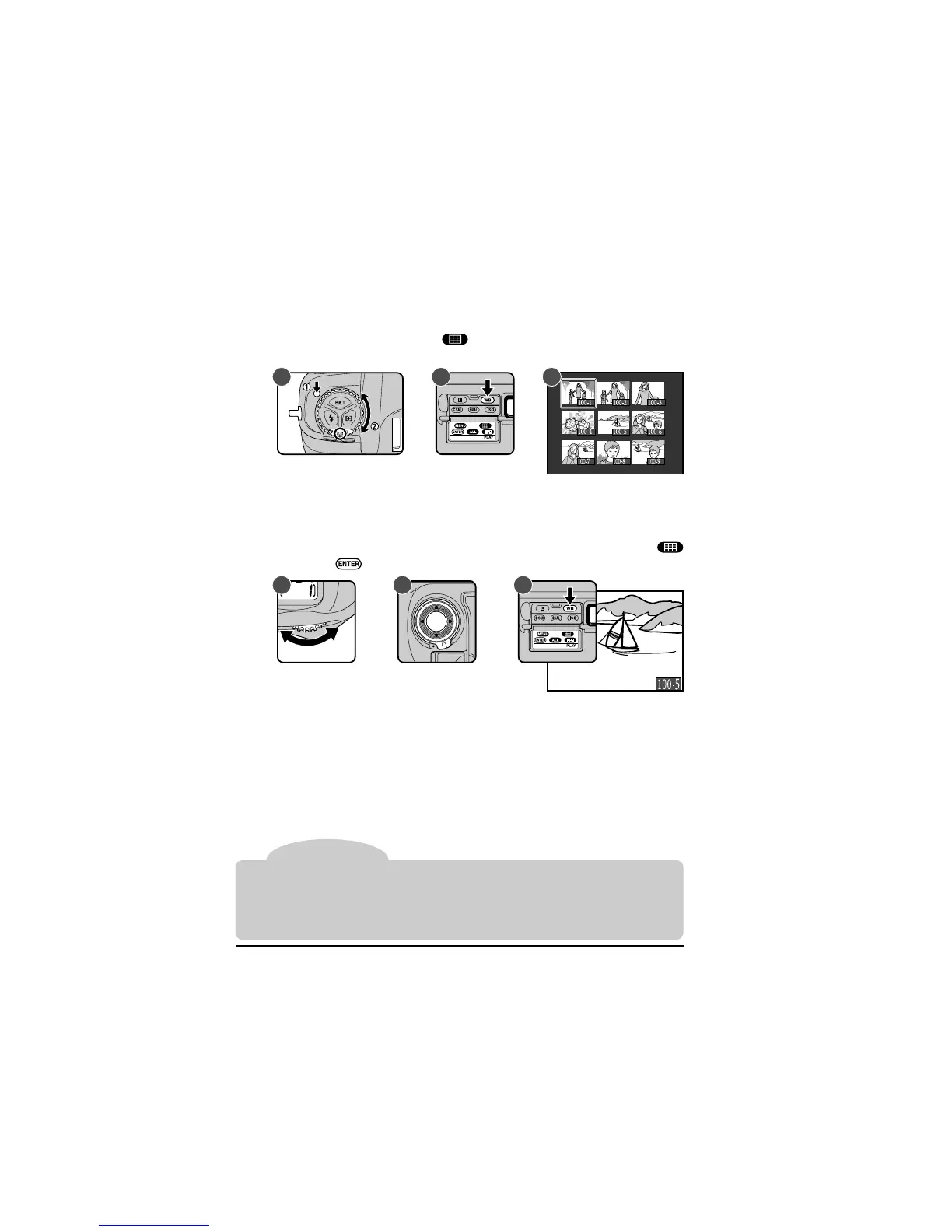
The D1 can display the photographs stored in the flash memory card as
thumbnail images. In this mode, up to nine images can be displayed at a time.
1
Holding down the mode dial lock release, turn the mode dial (A) to PLAY
(playback mode) and press the button (B) to display a menu of up to
nine preview images (C).
The currently selected thumbnail will be highlighted.
2
If there are more than nine photos in memory, use the main command dial
to page through the previews, nine at a time (A). Use the focus area
selector to highlight the photo you want to view (B), then press the
button or the button to view it at full size (C).
Tip
Playback: Playing Photographs Back
When images are displayed in playback mode, the monitor will turn off automatically
if no operations are performed for the length of time specified in Custom Setting 18 or
the playback menu “Auto Off” setting (see “The Playback Menu,” below). The display
can be restored by pressing the shutter-release button lightly within the time specified
in Custom Setting 15 (default is six seconds).
A B C
A B C



 To Next Page