23
Tip
A B C
First Steps: Play the Photograph Back
7 Play the Photograph Back
Photographs taken with the D1 can be played back on the camera’s
LCD monitor. If desired, photographs can also be deleted.
7
.1 Turn the monitor on
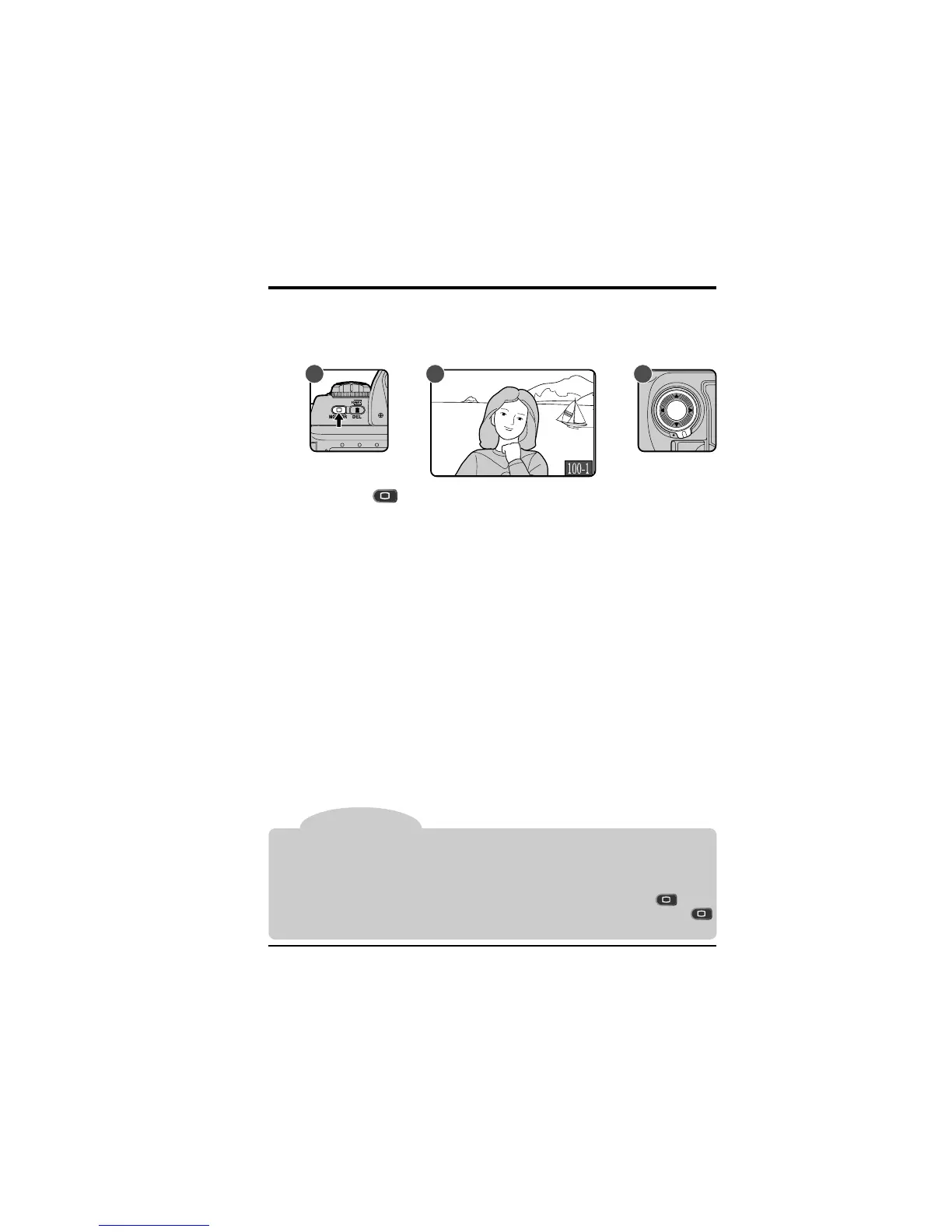
Press the button to turn the monitor on (A). The most recently
taken photograph will be displayed (B).
Other photographs in memory, if any, can be viewed by pressing the
focus area selector (C). Press ▲ to view photographs taken before the
photo currently displayed, or ▼ to view photographs taken after the
current photograph. Pressing ▲ when you reach the oldest photograph
will display the most recent photograph in memory; when the most
recent photo is displayed, press ▼ to view the oldest photograph in
memory. If the card contains no photographs, the message “CARD
CONTAINS NO PHOTOGRAPHS” will be displayed.
For more information on playback, see “Playback.”
In playback mode, the monitor will turn off automatically to save power if no operations
are performed for a specified period of time. The length of time before the monitor turns
off can be set using custom settings (see “Custom Settings,” item 18) or the auto-off menu
(see “Playback”).
After the monitor has turned off, the display can be restored by pressing the button
before automatic meter switch-off (see “Custom Settings,” item 15). Pressing the
button after this time will display the most recent photograph in memory.



 To Next Page