- D 0 ・ -
logo�Q0310�forGraphic
070509�Gdesign�ito
VBA20001-R.3720.A
#B211
#241
#243
#242
#233
#232
#231
#1525×3
#263
#1523×2
#1568
#B10212
#214
#B10201
#210
#1523×2
#170
#1530
#B71
#236A
~
E
#1516
#66×3
#B381
#377
#B376
・
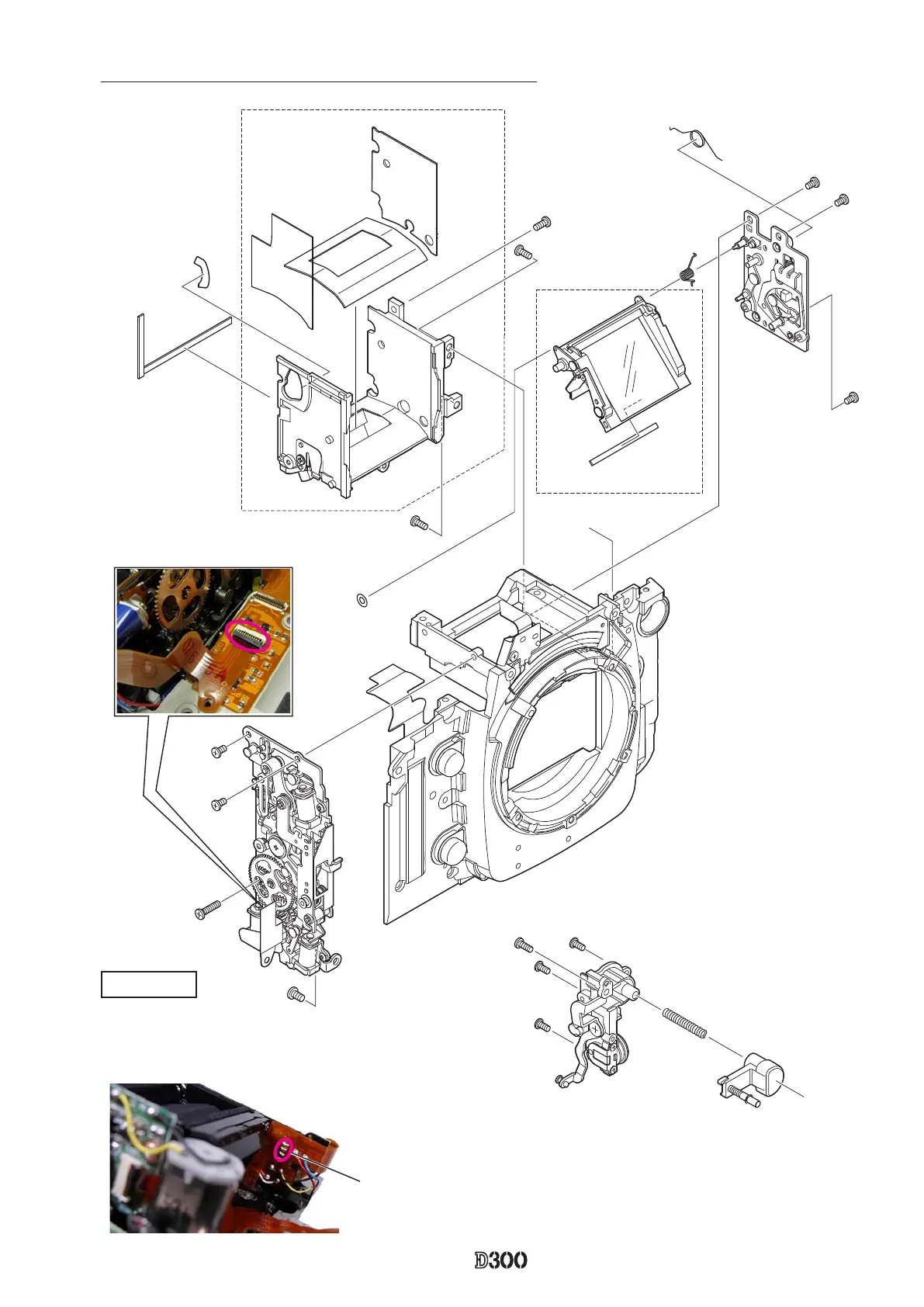
Remove the soldering bridges.
・
Disconnect the FPC of I base plate (#B71) from the connector.
I base plate
Soldering bridge (which joints AF-drive FPC
and I-base plate FPC)
・
Take out the two screws (#1523), onescrews (#1523), one
screw (#170) and one screw (#1530), and one screw (#1530),#1530),
and remove the I base plate.the I base plate.



 To Next Page
 Loading...











