VBA20001-R.3720.A
- A ・ -
logo�Q0310�forGraphic
070509�Gdesign�ito
※
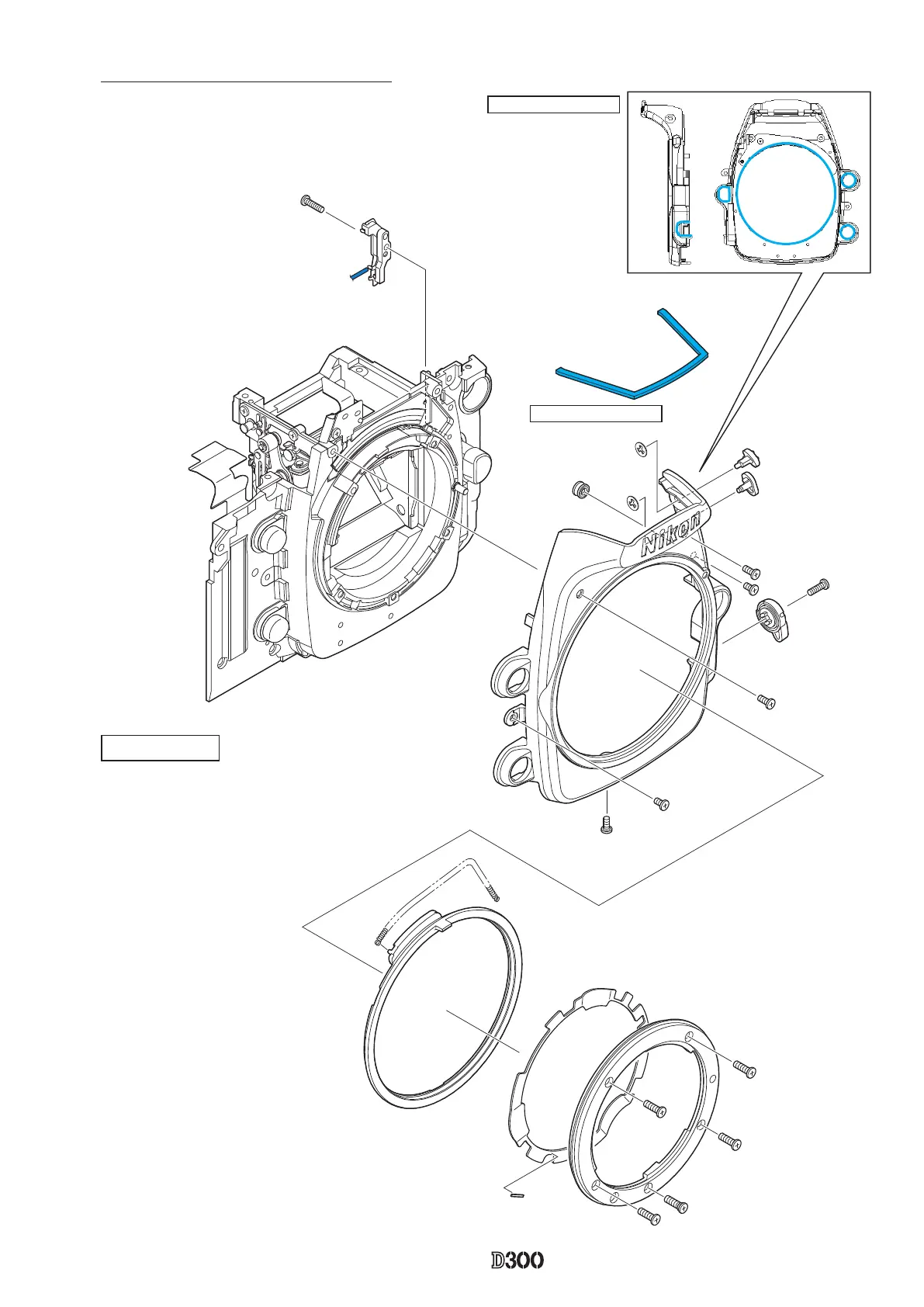
Apply to the inside of each area
so that the grease is not forced out.
#1527
#B382
#992
#407
#38×2
#40
#37
#1514
#66
#387
#1514
#66
#66
#22
#402
#401
・
Tighten three screws (#66)
and two screws (#1514).
・
Attach the SCM-changeSCM-change
lever(#383) and tighten ther(#383) and tighten the(#383) and tighten the
screw (#387).
#90
#1620
#1621×4
#383
#405
#406
<
Caution
>
After mounting the bayonet, press the lens-release
Front cover, Bayonet and other small parts
Front cover unit
・
While releasing the aperture-coupled ring
(#406) counterclockwise, mount the front
cover
(
#22) on the front body.
Oil barrier: OS-30MEL
Oil barrier: OS-30MEL



 To Next Page
 Loading...











