58
❚❚ Editing Network Profiles
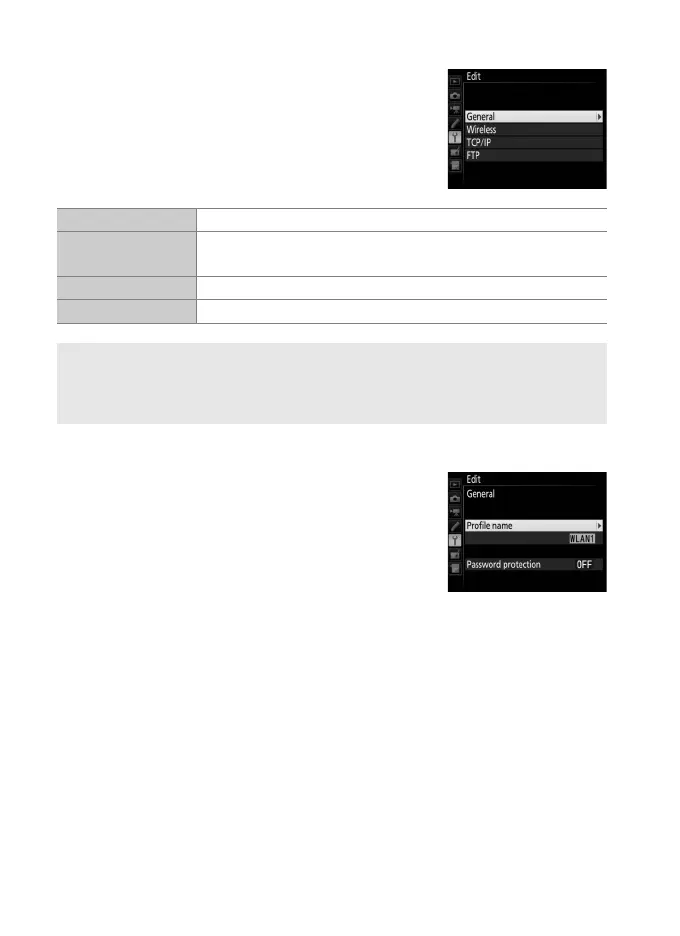
To edit the profile currently highlighted in the
profile list, press W (M) and choose from the
following options:
General
Choose Profile name to edit the profile
name, Password protection to enter a profile
password and enable or disable password
protection. Enabling password protection
prevents others from viewing network
settings.
General Edit the profile name and password (058).
Wireless
Edit wireless settings (wireless connections only;
059).
TCP/IP Edit TCP/IP settings (060).
FTP Edit ftp settings (060).
D Editing Profiles
If the shutter-release button is pressed while menus are displayed, the
monitor will turn off and any changes to the current profile will be lost.



 To Next Page