12
Create folders before going on a shoot and use them to
organize photos by scene. If you’re photographing soccer
or baseball, you can create folders for each half or inning,
making photos easier to nd and organize later on.
Use the Storage folder > Rename and Select folder by
number options in the photo shooting menu to create
folders. To create folders for the rst inning at a ball game:
1
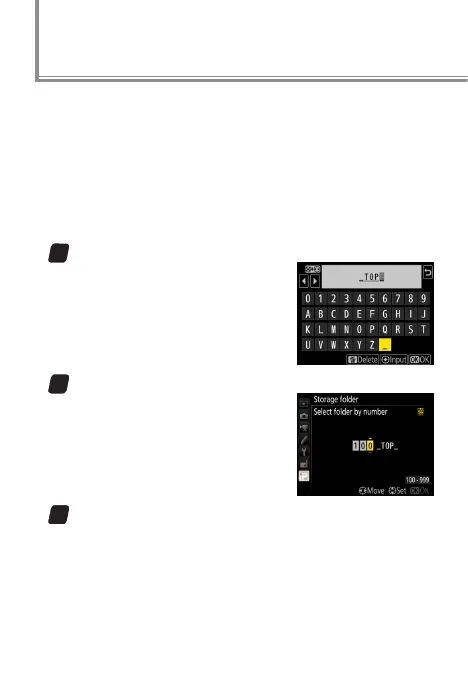
Enter a name for the tops of the innings.
Select Rename, enter an appro-
priate ve-character name (e.g.,
“_TOP_”), and press J.
2
Create a folder for the top of the rst inning.
Choose Select folder by num‑
ber and select folder number
100. Press J to create a folder
named “100_TOP_”.
3
Enter a name for the bottoms of the innings.
Select Rename, enter an appropriate name (e.g.,
“_BTM_”), and press J.
Custom Folders



 To Next Page
 Loading...











