34
In addition to the multi selector and other controls used
for playback on earlier cameras, the D500 features a touch
screen. You can page through pictures by icking left or
right and zoom in by double-tapping the monitor, making
it faster to nd pictures and check focus. You can also pro-
tect or rate pictures to make them easier to nd.
Finding Pictures Quickly
Using the Touch Screen
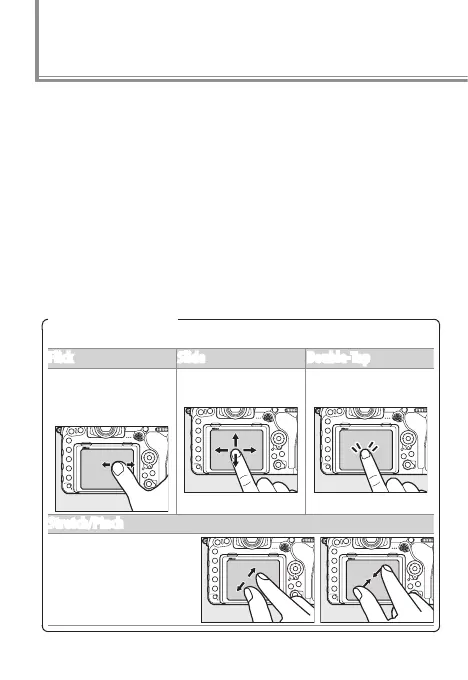
The touch screen supports the following gestures:
Flick Slide Double‑Tap
Flick a nger a short
distance left or right
across the monitor.
Slide a nger over
the monitor.
Tap the monitor
twice quickly.
Stretch/Pinch
Place two ngers on
the monitor and move
them apart or pinch
them together.



 To Next Page
 Loading...











