38
Playback
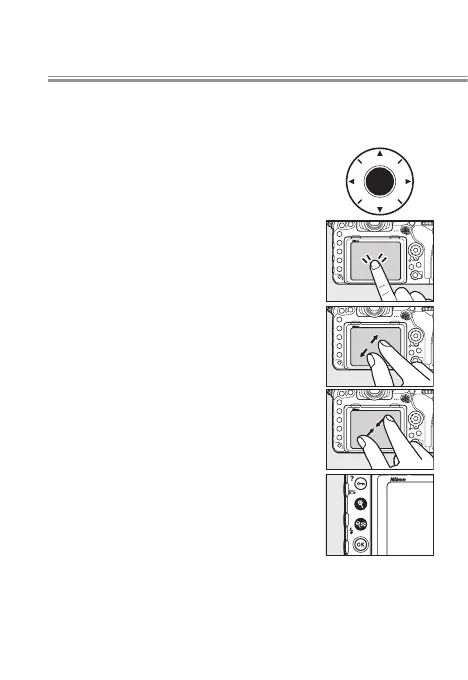
Quick Focus Check
The following operations can be used to zoom in for a
quick focus check during playback.
• Press the center of the multi selector to zoom
in on the active focus point. Press again
to exit zoom.
• Double-tap the monitor to zoom in on the
selected location. Double-tap again to
exit zoom.
• Place two ngers on the monitor and stretch or
pinch to zoom in or out. To switch to a
thumbnail view, zoom out when the
image is displayed full frame.
• Press the X or W (M) button to zoom in or
out.
To view other images at the same zoom ratio, rotate the
main command dial or tap the e or f icon at the bottom
of the display.
l



 To Next Page
 Loading...











