46
While—at least in the case of im-
ages uploaded to a computer or ftp
server via a WT-7 wireless transmit-
ter—the camera indicates upload
status by the color of the transfer
icon, transfer status is not displayed
when pictures are viewed on a com-
puter.
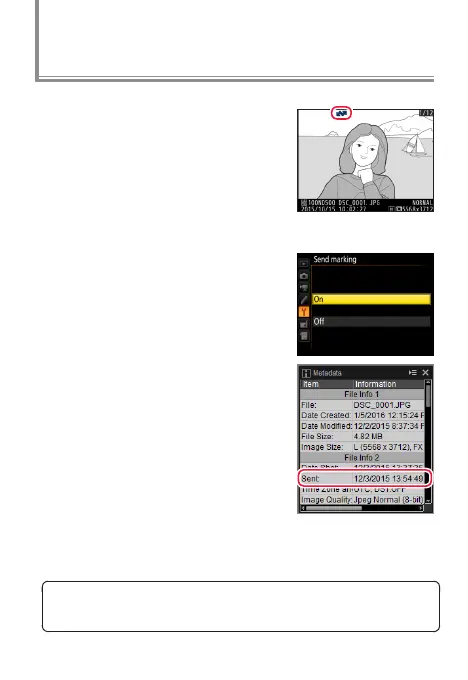
If On is selected for Network> Op‑
tions > Send marking in the cam-
era setup menu, the date and time
of upload will be embedded in the
copies on the memory card.
If pictures taken at the above set-
tings are later copied to a computer,
you can open them in the latest ver-
sion of ViewNX-i or Capture NX-D
and check whether they have been
uploaded from the camera.
Checking Upload Status
Transfer icon (blue)
The date and time of upload are added to pictures after trans-
fer and can not be viewed on the receiving device.



 To Next Page
 Loading...











