20
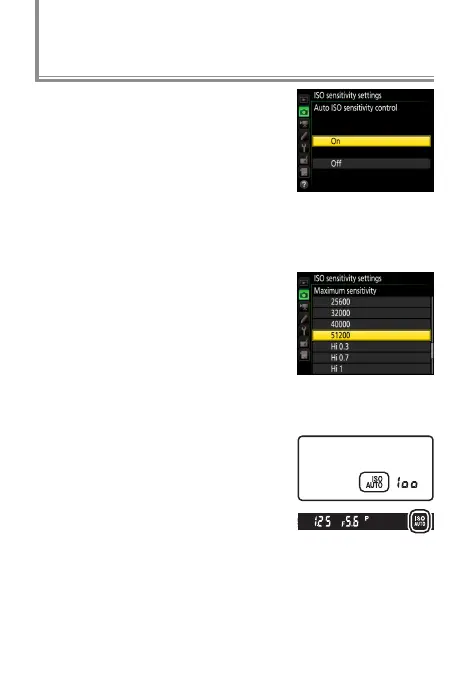
To vary ISO sensitivity automatically
when shooting in dappled sunlight
or in other situations in which the
subject or background vary in
brightness, select On for ISO sensi‑
tivity settings> Auto ISO sensitivi‑
ty control in the photo shooting menu. You’ll get optimal
exposure without having to adjust shutter speed or aper-
ture, even in mode M.
To limit high sensitivity noise, select
a Maximum sensitivity between
ISO 200 and Hi 5 (the minimum is
the value currently selected for ISO
sensitivity unless this is higher than
the maximum, in which case Maxi‑
mum sensitivity will be set to the value currently selected
for ISO sensitivity).
To turn auto ISO sensitivity control
on or o, press the S button and
rotate the sub-command dial. The
current setting is shown in the view-
nder and control panel.
AE with Constant Shutter Speed and Aperture



 To Next Page
 Loading...











