Nikon D5100 Experience
31
Focus Mode to MF (Manual Focus). Just remember to switch them back when you are finished.
You may also wish to do this if you want to precisely manually focus with the focus ring on your
lens. (Note that for lenses with “full time manual focus” you don’t need to switch to M in order
to manually override when slightly tweaking the autofocus with the lens focus ring. These lenses
will have M/A and M on the lens focus mode switch instead of A and M.)
Use the Rangefinder feature of the D5100 to assist with manual focus – Custom Setting a3. As
noted above, when using Rangefinder, the exposure indicator in the viewfinder is used to
indicate if the subject is correctly in focus. If the dots and arrow are to the left of 0, the camera is
focused in front of the subject; to the right means the camera is focused behind the subject. If
two dots sit centered below the 0, the subject is in focus. Note that this indicator does not work
for determining focus in Manual (M) shooting mode (when your Mode Dial is set to M) because
it is used instead to indicate exposure.
Autofocus Area Modes
The Autofocus Area Modes are used to set if just a single AF point is active or else how many
AF points surrounding your selected AF point will be used to track a moving subject if you are
using AF-C or AF-A Autofocus Modes.
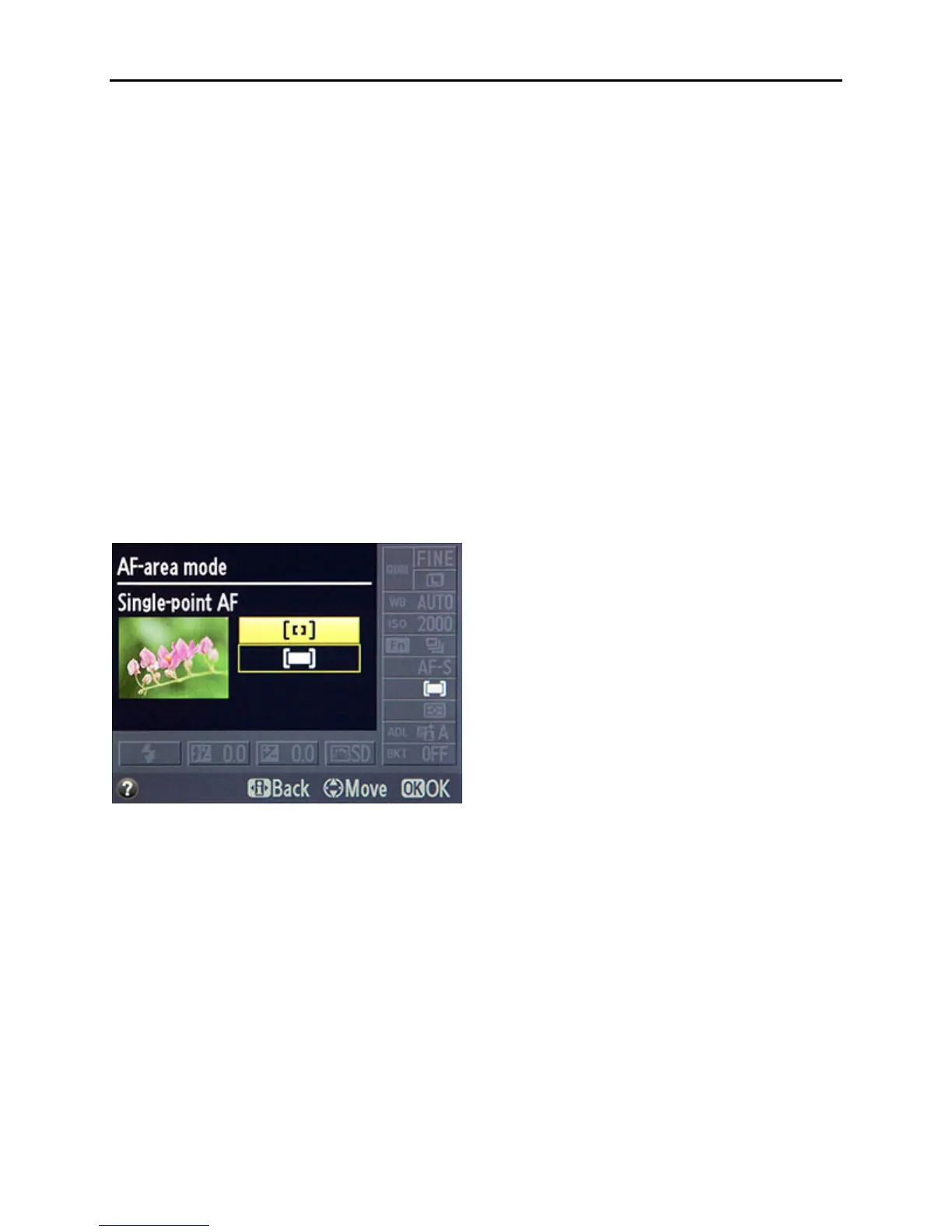
Figure 21 – AF Area Modes Menu – note that because Focus Mode is set to AF-S, only Single-
Point AF and Auto-Area AF options are available as AF-Area Modes.
Single-Point AF
Only one AF point will be active, and surrounding AF points will not become active to track a
subject that moves away from the one selected point. This is typically used along with Single-
Servo AF (AF-S) to focus on a stationary or still subject, or in a situation where you will be
reframing the shot after you lock focus at a specific distance. It can also be used with accuracy
with AF-S mode for moving subjects if you take the photo quickly or if you recompose and take
the shot quickly after locking in focus, especially if the camera-to-subject distance does not
change at all or very much in that period between locking focus and taking the photo. Use the
Multi Selector to choose your active AF point as you look through the viewfinder and use the
OK Button to quickly select the center AF point. If you choose Single-Point AF with
Continuous-Servo AF (AF-C) or Auto-Servo AF (AF-A) for tracking moving subjects, it will



 To Next Page