Nikon D5100 Experience
50
details in order to retain more shadow details. And bright lights such as the sun, sun reflections
on glass or metal, and other sources of light will always be blown-out.
How do you control the exposure so that the peaks do not run off the edges of the histogram
graph? With exposure compensation.
Exposure Compensation
You can use exposure compensation to “override” the exposure that the camera selected, in order
to brighten or darken the image’s exposure. You may want to do this if you have seen that your
highlights have run off the right side of the histogram and been blown-out, resulting in complete
loss of detail in those areas of the image. To use exposure compensation, press and hold the
Exposure Compensation [+/-] Button (on the top of the camera near the Shutter-Release Button)
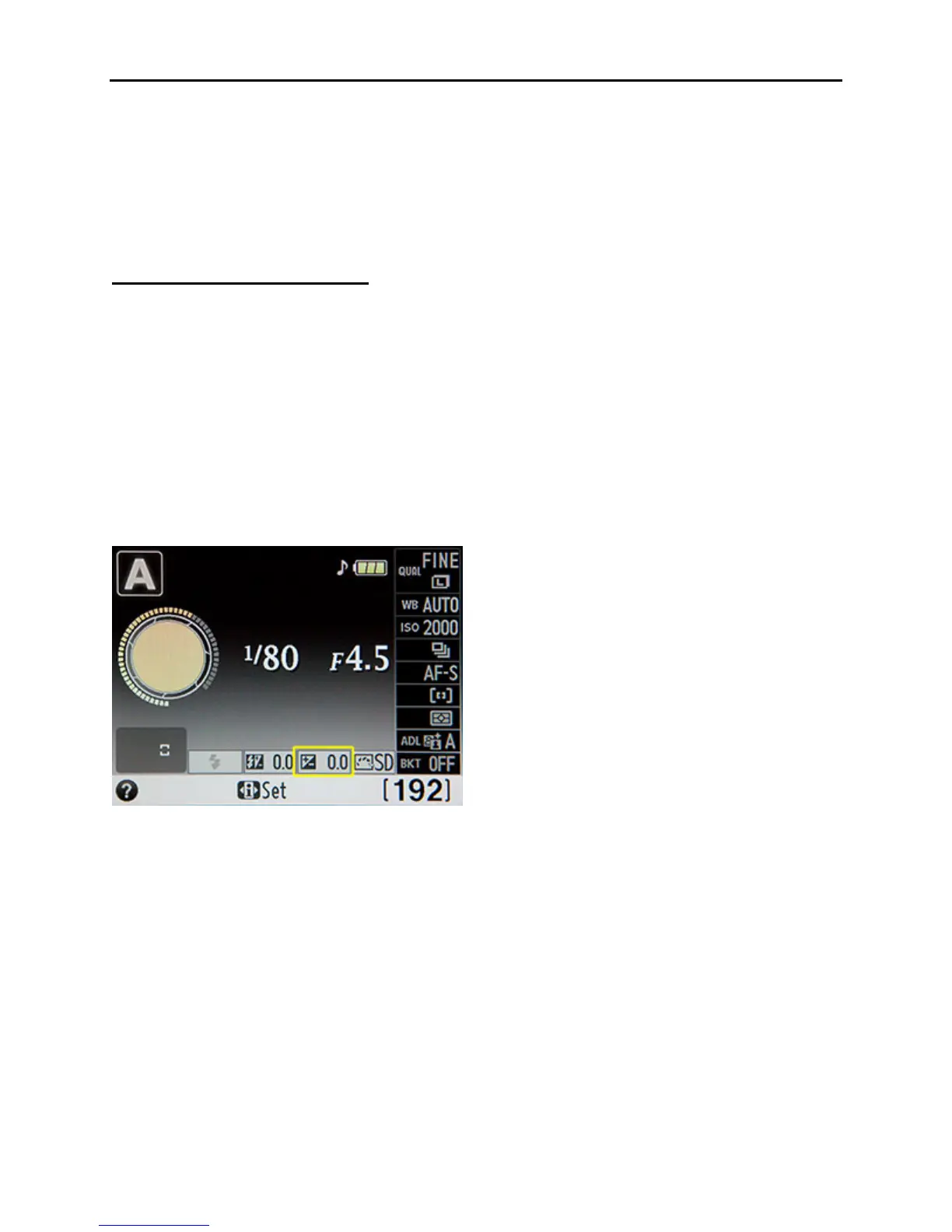
and turn the Command Dial (see Figure 2) as you view the change in value in the Viewfinder or
on the Information Display screen (see Figure 33). You can also use the i Button and
Information Display screen to change this setting. If the Exposure Indicator in either of these
places is not changing, press the Shutter-Release Button half way to first wake up the camera and
start the metering.
Figure 33 – Exposure Compensation setting on the Information Display (circled in yellow)
To make the exposure of a scene lighter, press the Exposure Compensation Button and turn the
Command Dial so that the value becomes positive: +0.3, +1.0, +2.0, etc. To make it darker, turn
the Command Dial so that the value becomes negative: -0.3, -1.0, -2.0, etc. Try changing the
exposure compensation by 1/3 or 2/3 stop (0.3, 0.6) in the direction you desire, retake the shot,
and see if your exposure problem is solved. Increase or decrease the exposure compensation as
needed. Remember to set the exposure compensation back to zero when you are done with that
situation and move on to take different images! This is one major reason why you should check
your camera’s settings often – to make sure you haven’t left the camera on the settings from a
previous situation. (Changing WB or ISO and forgetting to change it back is another potential
hazard.) Check your current settings in the viewfinder or on the rear LCD Monitor by pressing
the i Button or the Info Button.



 To Next Page