Nikon D5100 Experience
45
worth it to use Center-Weighted Metering mode. Another time to use this is when there is a
wide range of light in your scene, such as bright sunlight to deep shadows. Determine the proper
exposure by metering on the subject using the center of the viewfinder, and lock in that exposure
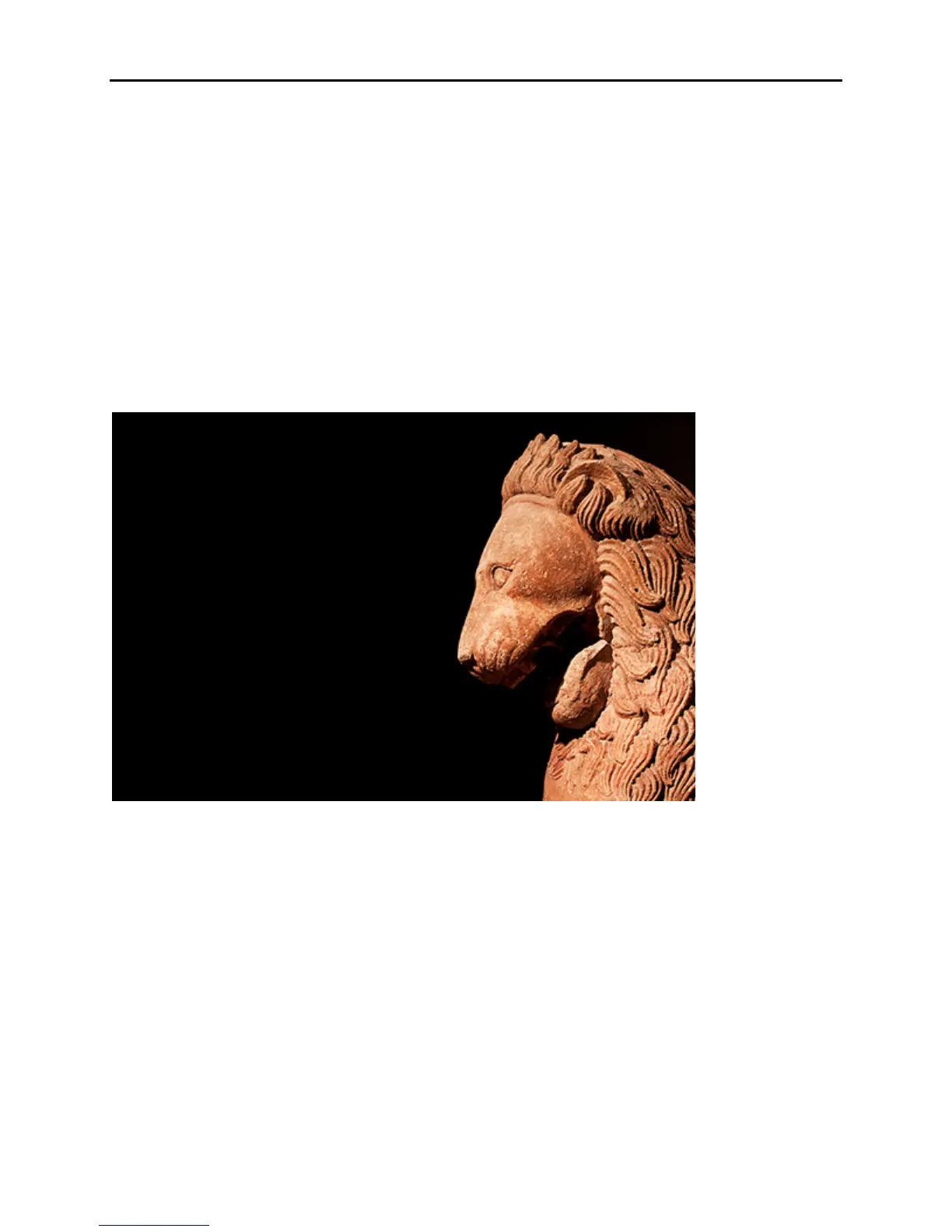
(see Exposure Lock below). (See Figure 30.)
Remember, this mode is not linked to your focus point. The area that is metered is always in the
center so if your subject is off center – which it typically should be for a more dynamic image –
you need to meter on your subject or on a middle tone in the part of the scene that is most critical
and that you want properly exposed, using the central area of the viewfinder. Lock in that
exposure, then recompose and take the shot. If you are finding that Matrix Metering is not
giving you the exposures you desire in certain unusual, dramatic, or difficult lighting situations
and your exposures are too dark or too light, try using Center-Weighted Average Metering (or
Exposure Compensation, discussed below).
Figure 30 – Lion Sculpture – Center-Weighted Metering used to properly expose for the subject,
exposure locked, then framing recomposed to place subject off center. (Very carefully hand-held
at very slow shutter speed.) Shutter speed 1/13, aperture f/4.0, ISO 800
Spot Metering
This mode meters exclusively on a 3.5mm circular area, approximately 2.5% of the frame area,
centered on the selected focus point. Note that the spot is not necessarily in the center of the
frame as with Center-Weighted Metering, unless you or the camera has selected the center AF
point. So when do you want to use Spot Metering? This, again, is useful for scenes with great
variation in light and shadow, or in very critical situations. One of the most common ways to use
it is when metering for proper exposure on a dramatically lit face or subject, where the proper
exposure of that part of the image is critical. Be aware that the area the camera is metering does
not take into account any other parts of the scene and is very small – not much larger than the
brackets you see in the viewfinder surrounding the center focus point. For advanced users, Spot



 To Next Page