93
Reference—Non-CPU Lenses
Non-CPU Lenses
By specifying lens data (lens focal length and maximum aperture), the user can
gain access to a variety of CPU lens functions when using a non-CPU lens. If the
focal length of the lens is known:
• Automatic power zoom can be used with optional SB-800 and SB-600 Speed-
lights
• Lens focal length is listed (with an asterisk) in the playback photo info display
When the maximum aperture of the lens is known:
• The aperture value is displayed in the control panel and viewfi nder
• Flash level is adjusted for changes in aperture
• Aperture is listed (with an asterisk) in the playback photo info display
Specifying both the focal length and maximum aperture of the lens:
• Enables color matrix metering (note that it may be necessary to use center-
weighted or spot metering to achieve accurate results with some lenses, in-
cluding Refl ex-Nikkor lenses)
• Improves the precision of center-weighted and spot metering and i-TTL Bal-
anced Fill-Flash for Digital SLR
Specifying Lens Focal Length
Lens focal length can be specifi ed using the Non-CPU Lens Data option in the
shooting menu or by pressing the FUNC. button and rotating the main com-
mand dial. The following settings are available:
• 6–45 mm: 6, 8, 13, 15, 16, 18, 20, 24, 25, 28, 35, 43, and 45 mm
• 50–180 mm: 50, 55, 58, 70, 80, 85, 86, 100, 105, 135, and 180 mm
• 200–4000 mm: 200, 300, 360, 400, 500, 600, 800, 1000, 1200, 1400, 1600, 2000,
2400, 2800, 3200, and 4000 mm
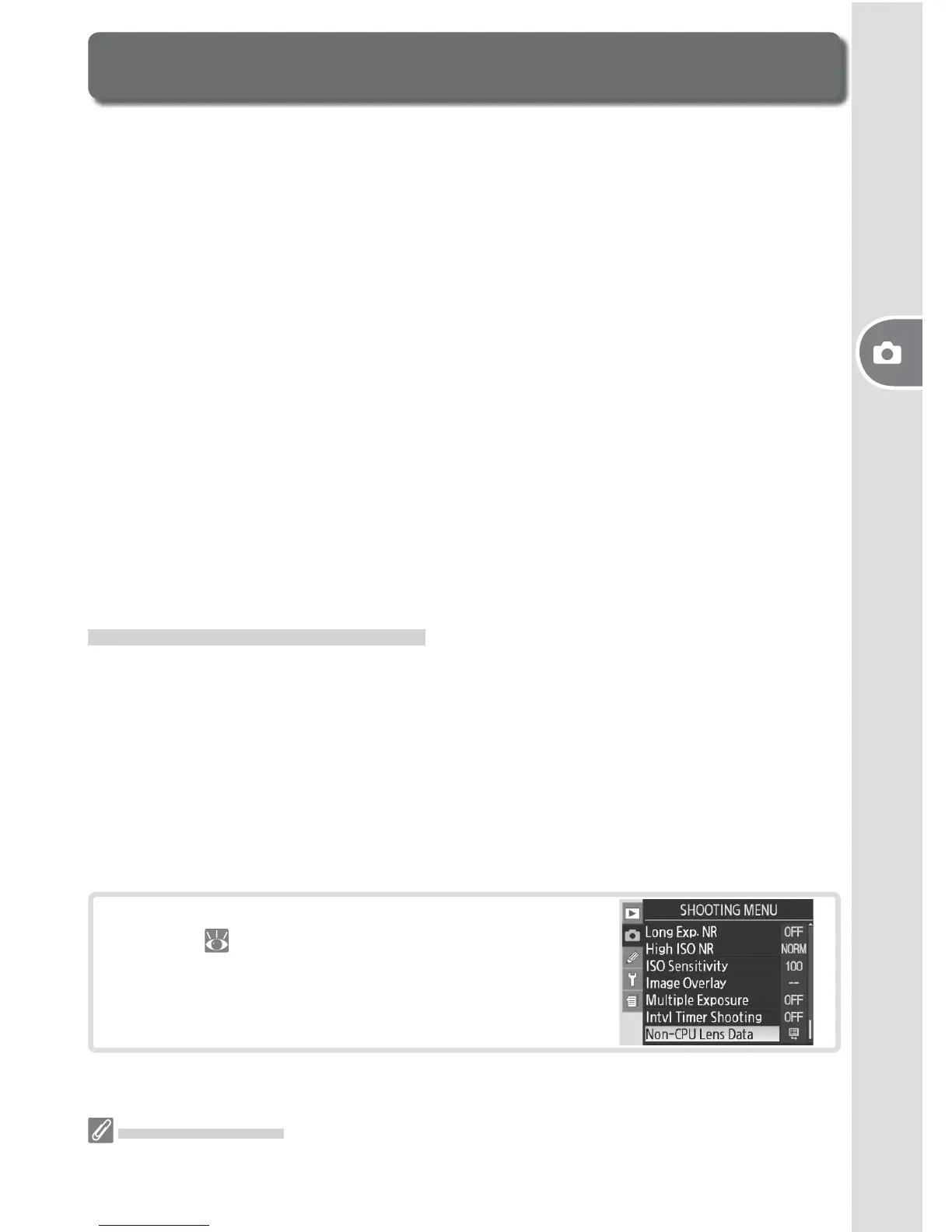
The Non-CPU Lens Data Menu
1
Highlight Non-CPU Lens Data in the shooting
menu ( 124) and press the multi selector to
the right.
The FUNC. Button
Lower the built-in fl ash and turn any optional Speedlights off before using the FUNC. but-
ton to specify lens data.



 To Next Page
 Loading...









