106
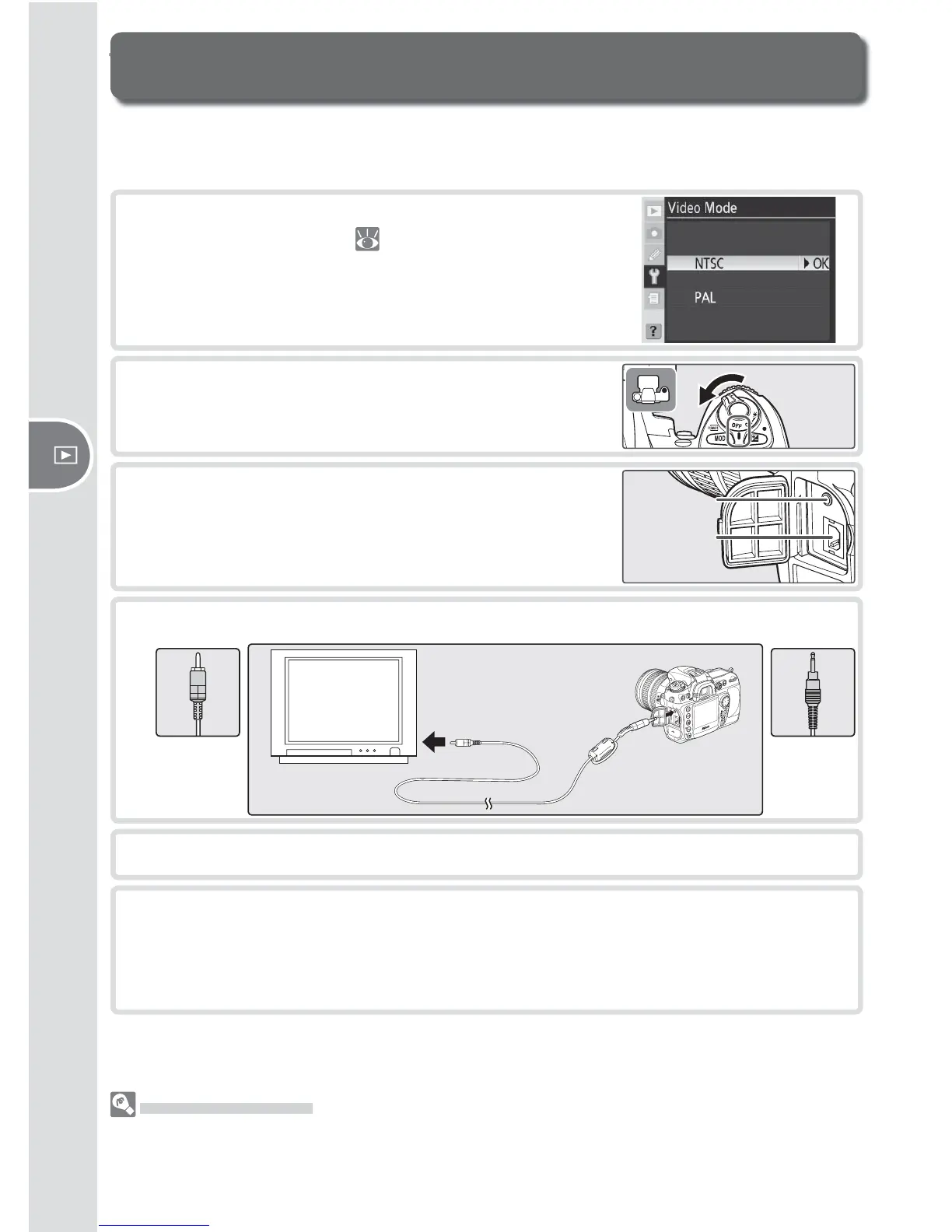
Reference—Viewing Photographs on TV
The supplied EG-D100 video cable can be used to connect the camera to a tele-
vi sion or VCR for playback or recording.
Viewing Photographs on TV
1
Select the appropriate video mode from the
Video Mode menu ( 117).
2
Turn the camera off . Always turn the camera off
before connecting or disconnecting the video
cable.
4
Connect the video cable as shown below.
Connect
to video
device
Connect
to
camera
5
Tune the television to the video channel.
6
Turn the camera on. During playback, images will be displayed on the tele-
vision screen or recorded to video tape; the camera monitor will remain off .
Note that the edges may not be visible when photographs are viewed on
a television screen.
Use an AC Adapter
Use of an EH-6 AC adapter (available separately) is recommended for extended playback.
When the EH-6 is connected, the camera monitor-off delay will be fi xed at ten minutes and
the exposure meters will no longer turn off automatically.
3
Open the cover protecting the video-out and
DC-in connectors.



 To Next Page
 Loading...









