110
Reference—Printing Photographs
Take photographs
Photographs can be printed by any of the following methods:
• Connect the camera to a printer and print photographs directly from the cam-
era ( 111).
• Insert the memory card in a printer equipped with a card slot (see the printer
manual for details). If the printer supports DPOF ( 202), photographs can be
selected for printing using Print Set (
139).
• Take the memory card to a developer or digital print center. If the center sup-
ports DPOF ( 202), photographs can be selected for printing using Print Set
( 139).
• Transfer the pictures using the supplied software and print them from a com-
puter (see the software manual, on CD).
Note that RAW photographs can only be printed by transferring them to a com-
puter and printing them using the supplied software or Nikon Capture 4 Version
4.4 or later (available separately).
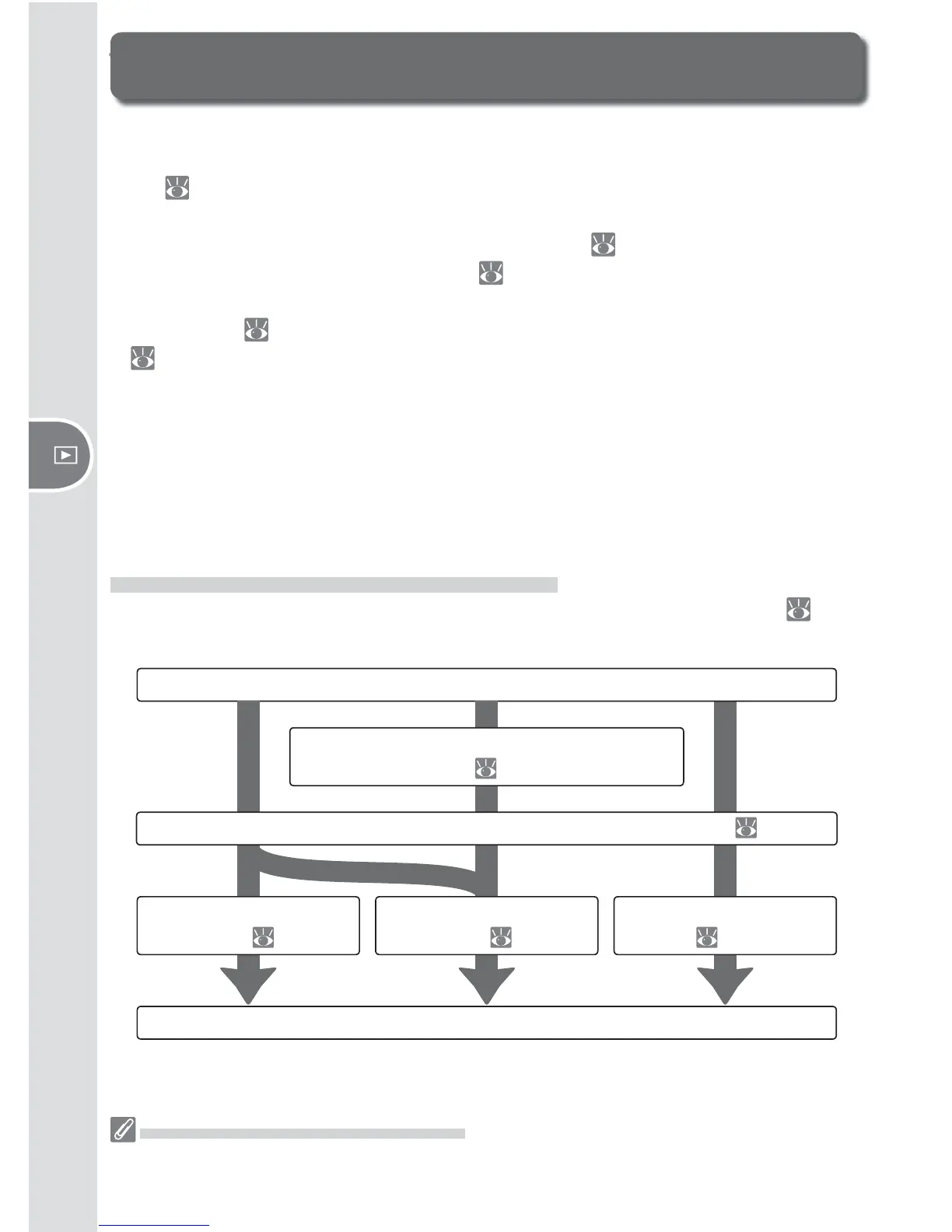
Printing Via Direct USB Connection
When the camera is connected to a printer that supports PictBridge ( 202),
photographs can be printed directly from the camera.
Printing Photographs
Select PTP in camera USB menu and connect camera to printer ( 121)
Select photographs for printing using Print
Set ( 139)
Printing Via Direct USB Connection
Be sure the battery is fully charged or use an optional EH-6 AC adapter. When taking pho-
tographs to be printed without modifi cation, choose sRGB for Color Space.
Print photographs one
by one ( 112)
Print multiple photo-
graphs ( 113)
Create index prints
( 113)
Disconnect USB cable



 To Next Page
 Loading...









