12
Introduction—First Steps
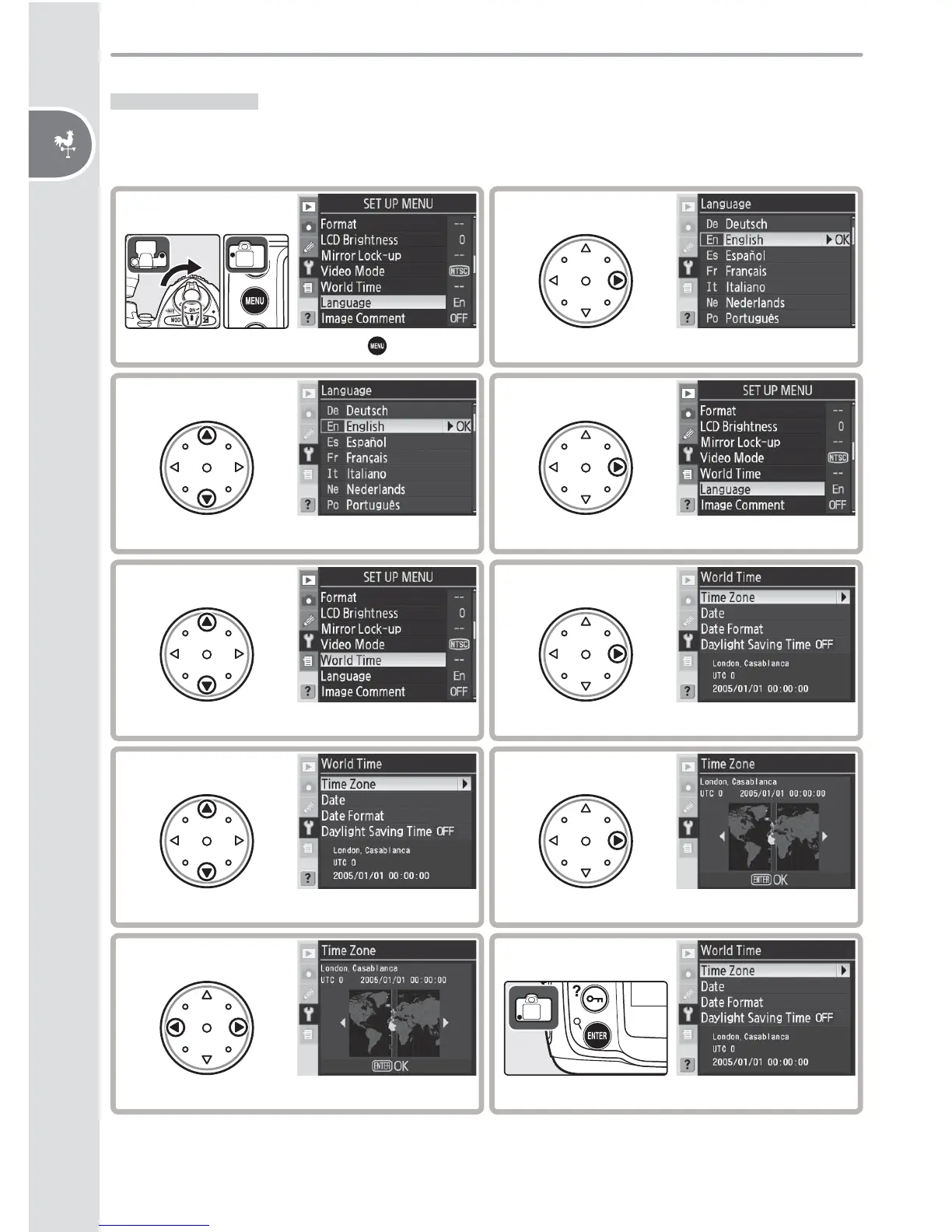
Basic Setup
The language option in the setup menu is automatically highlighted the fi rst
time menus are displayed. Choose a language and set the time and date.
5
Highlight World Time.
2
Display language menu.
6
Display options.
7
Highlight Time Zone.
8
Display map of world time zones.
9
Select local time zone.
*
* UTC fi eld shows time diff erence between selected time zone and Coordinated Universal
Time (UTC), in hours.
10
Return to WORLD TIME menu.
3
Select language.
4
Return to setup menu.
1
Turn camera on and press button.



 To Next Page
 Loading...









