98
Taking Photographs—Flash Photography
4
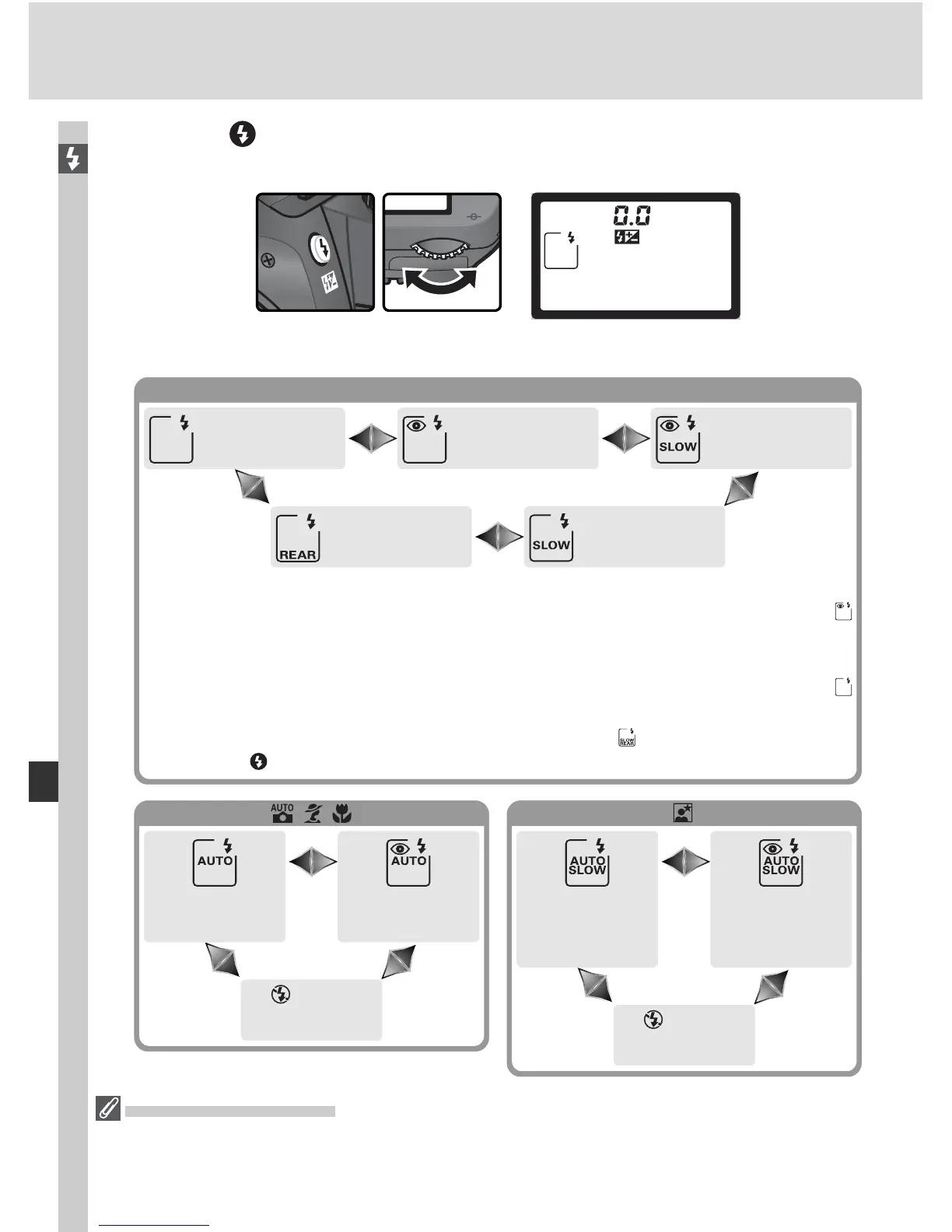
Press the button and rotate the main command dial until the desired
fl ash sync icon is displayed in the control panel.
Studio Flash Systems
Rear-curtain sync can not be used with studio fl ash systems, as the correct syn chro -
ni za tion can not be obtained.
The options available depend on the mode selected with the mode dial:
Auto front
curtain sync
Auto+red-eye
reduction
Off
Auto slow
sync
Auto slow
sync+red-eye
reduction
Off
, ,
1Available only in P and A modes. If mode dial is rotated to S or M after this
option has been selected in P or A mode, fl ash sync mode will be set to
(red-eye reduction).
2Available only in P and A modes. If mode dial is rotated to S or M after this
option has been selected in P or A mode, fl ash sync mode will be set to
(front-cur tain sync).
3 In P and A modes, fl ash-sync mode will be set to (slow rear-cur tain sync)
when the button is released.
P, S, A, M
Rear curtain
sync
3
Slow
sync
2
Front curtain
sync
Red-eye
reduction
Slow sync+red-
eye reduction
1



 To Next Page