178
Printing Photographs
Printing Selected Photographs
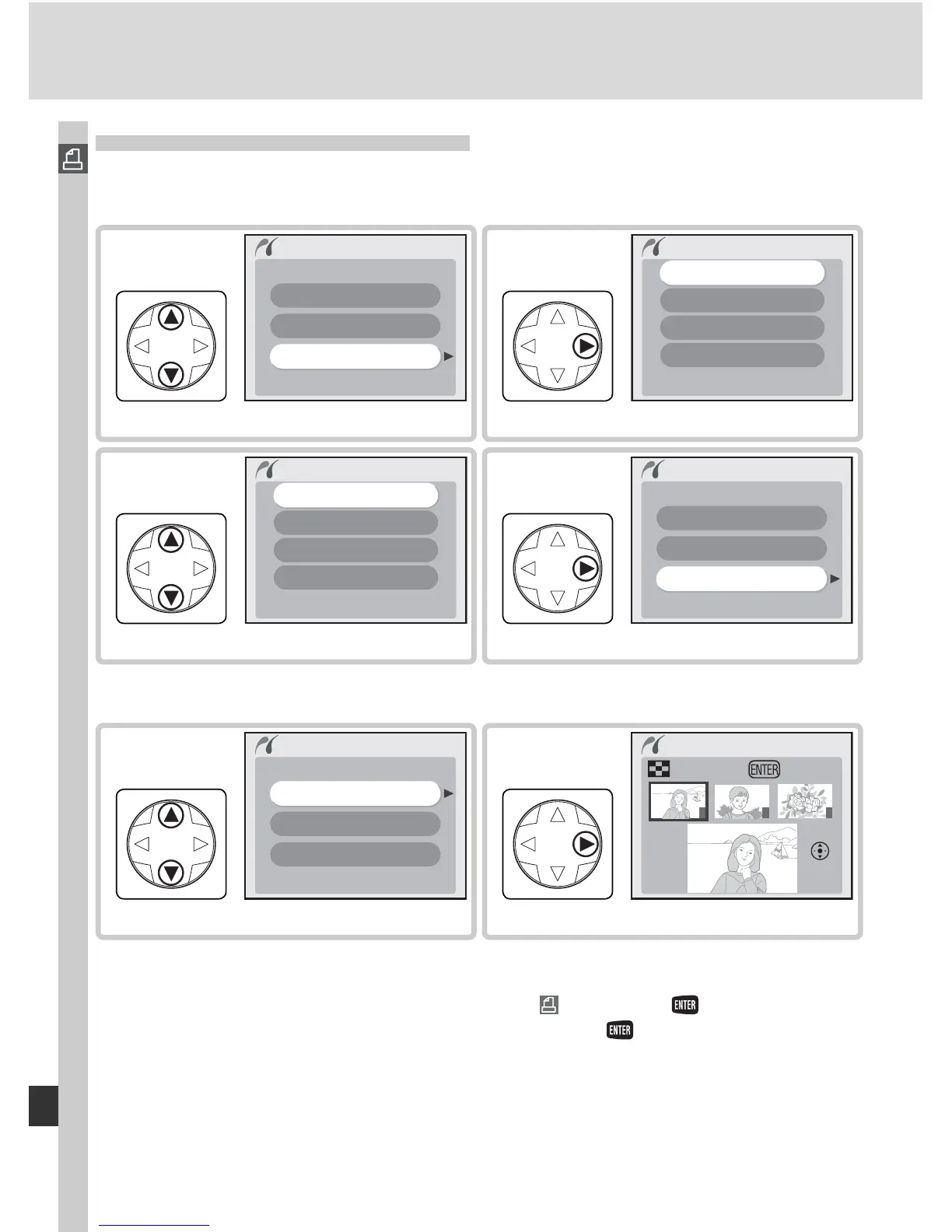
To print selected photos, highlight Print in the PictBridge menu and press the
multi selector to the right. The menu shown in Step 1 will be displayed.
Highlight Print Select.
†
Print
Print select
Index print
Choose folder
5
Display photos in current folder.
1
2
3
Print select
Tr i m Print
Set
6
†To create index print listing all JPEG images in current folder as small thumbnail im-
ages, highlight Index print and press multi selector to right. Photos in current folder
will be displayed, with JPEG images marked by icon. Press to begin printing.
To interrupt printing and exit to PictBridge menu, press button again.
Highlight Choose folder.
Print
Print select
Index print
Choose folder
1
Display list of folders.
Choose folder
All
NCD70
NIKON
TOKYO
2
Highlight folder.
*
Choose folder
All
NCD70
NIKON
TOKYO
3
Return to print menu.
Print
Print select
Index print
Choose folder
4
*To display photos in all folders, highlight All. To make selection from one folder only,
highlight folder name.



 To Next Page