.USB. VI Basic Operations
5 Using the DS-L1 when Connected to a PC by a USB Cable
- 122 -
5.4.3 Using the Media Drive
Sending/receiving image files
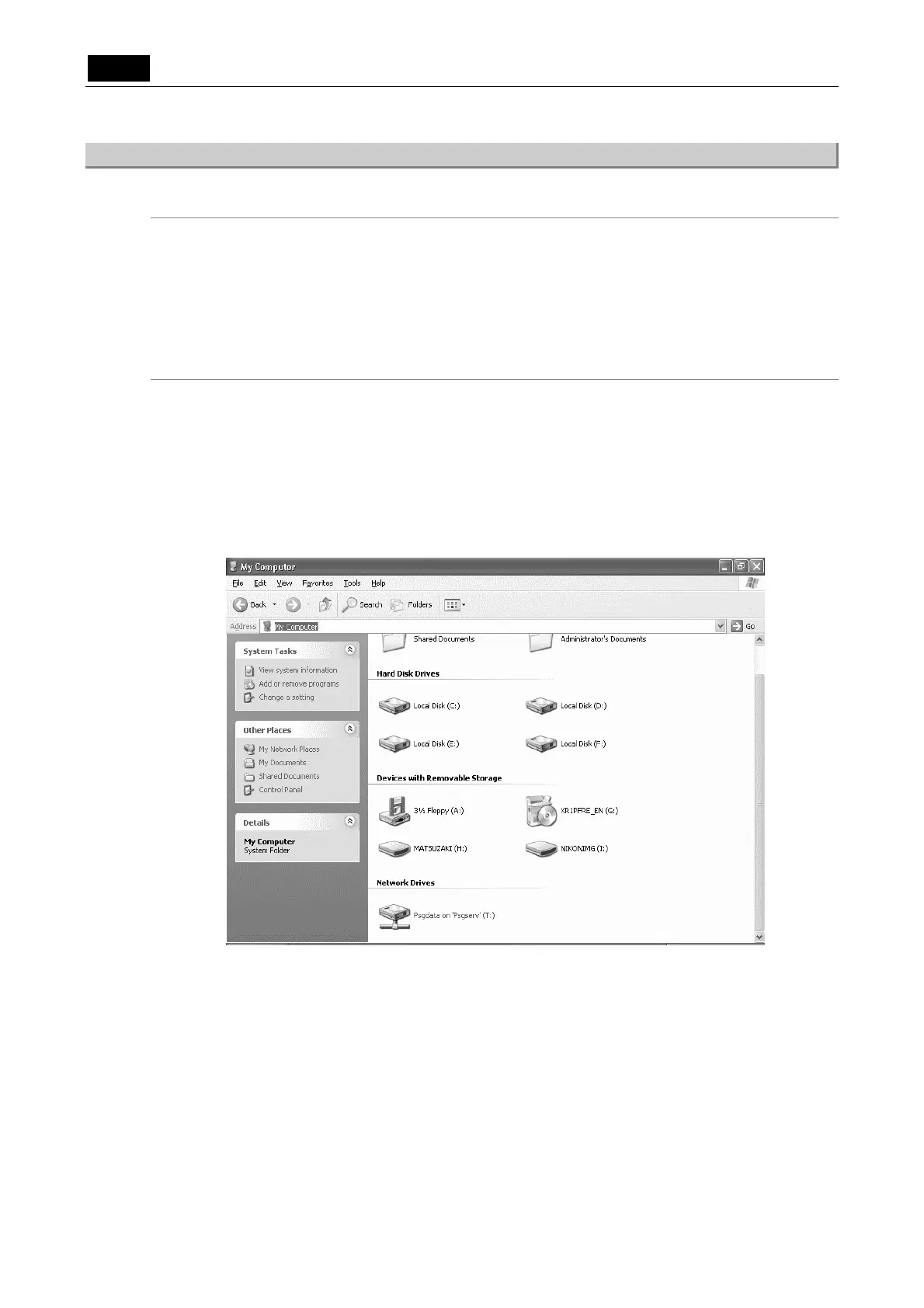
Insert media into the card slot of the DS-L1 and display the Explorer screen from the
confirmation screen described above. You can access media from this screen. Or you can
double-click the media drive (removable disk) icon located below “Devices with Removable
Storage” on the My Computer screen to access the media.
The image files on the media drive can be retrieved from the media or transferred from the PC to
other media files in the same way as files are normally manipulated on a PC.
Removing media
1) Check to see that the PC card indicator on the DS-L1 is turned off. Close the menus
displayed on the DS-L1.
2) If any image files have been loaded from the media to the PC, close all of the open image
files on the PC.
3) Right-click the media drive (removable disk) icon on the My Computer screen and select
[Eject].
4) Remove the media manually from the DS-L1.













 To Next Page