VI Basic Operations MICROSCOPE
6 Using the Microscope Control
- 137 -
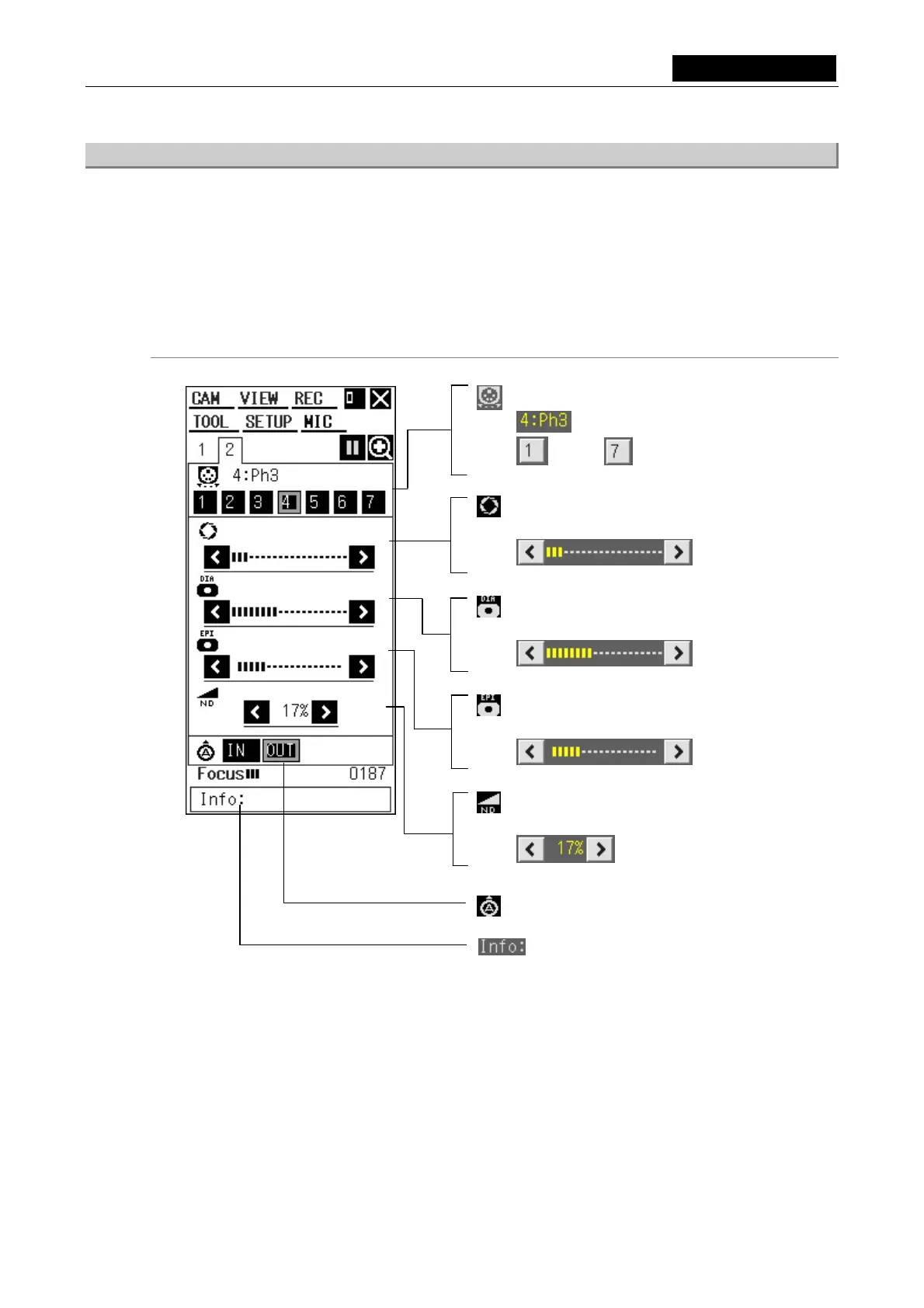
6.2.2 Microscope Control Menu 2
Select tab [2] of the microscope control menu to display "microscope control menu 2."
This section describes the menus displayed on the DS-L1 when the microscope connected is a
Nikon 90i microscope incorporating the DIH-E and having all motor-driven parts attached (full
spec).
If any of these components are missing or manual parts are attached, no menus will be
displayed for those components.
Menu configuration (when the microscope connected has all motorized parts attached)
Episcopic illumination field diaphragm
Adjusts the diaphragm.
Condenser
Shows condenser module name.
/
・・・
/
Selects the condenser module you want to use.
Diascopic illumination aperture diaphragm
Adjusts the diaphragm.
Diascopic illumination field diaphragm
Adjusts the diaphragm.
ND filter
Adjusts the transmission factor.
Analyzer
Info box information display (indicates operating
status or detailed items for the selected icon)













 To Next Page