VI Basic Operations NETWORK
4 Using the DS-L1 via a Network
- 79 -
4
Using the DS-L1 via a Network
4.1
Typical Method of Use
You can connect the DS-L1 and a PC in a network and operate the DS-L1 from the PC or
exchange image files between the DS-L1 and the PC.
There are three methods for operating the DS-L1 from a PC:
• Use a WEB browser
• Use an FTP command
• Use a Telnet command
You also can access an FTP server PC from the DS-L1 via a network.
Possible operations in each method are described below.
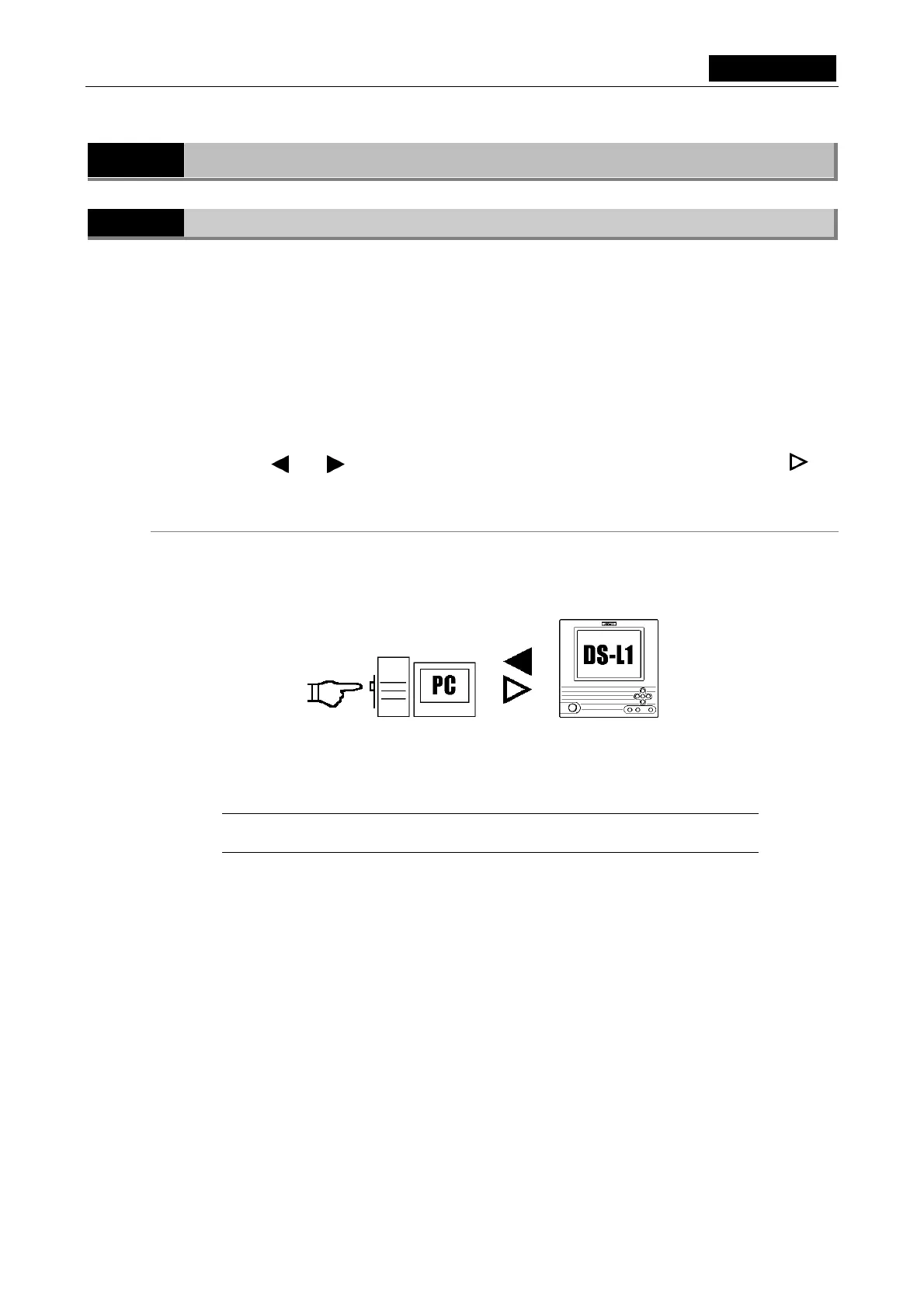
The symbols and in the diagrams below indicate the flow of images, while the symbol
indicates the flow of control.
Using a WEB browser to operate the DS-L1 from a PC
• Get images from the DS-L1
• Control the DS-L1 in a simple way
A WEB browser may be used from a LAN-based PC to observe images.
It is possible to view small images with a rapid updating speed by using Movie mode.
In this case, the DS-L1’s HTTP server function is used.
NOTE: As a rule, although it depends on how frequently images are updated, the
DS-L1 can only be accessed from up to two PCs at the same time.













 To Next Page