.MICROSCOPE. VI Basic Operations
6 Using the Microscope Control
- 140 -
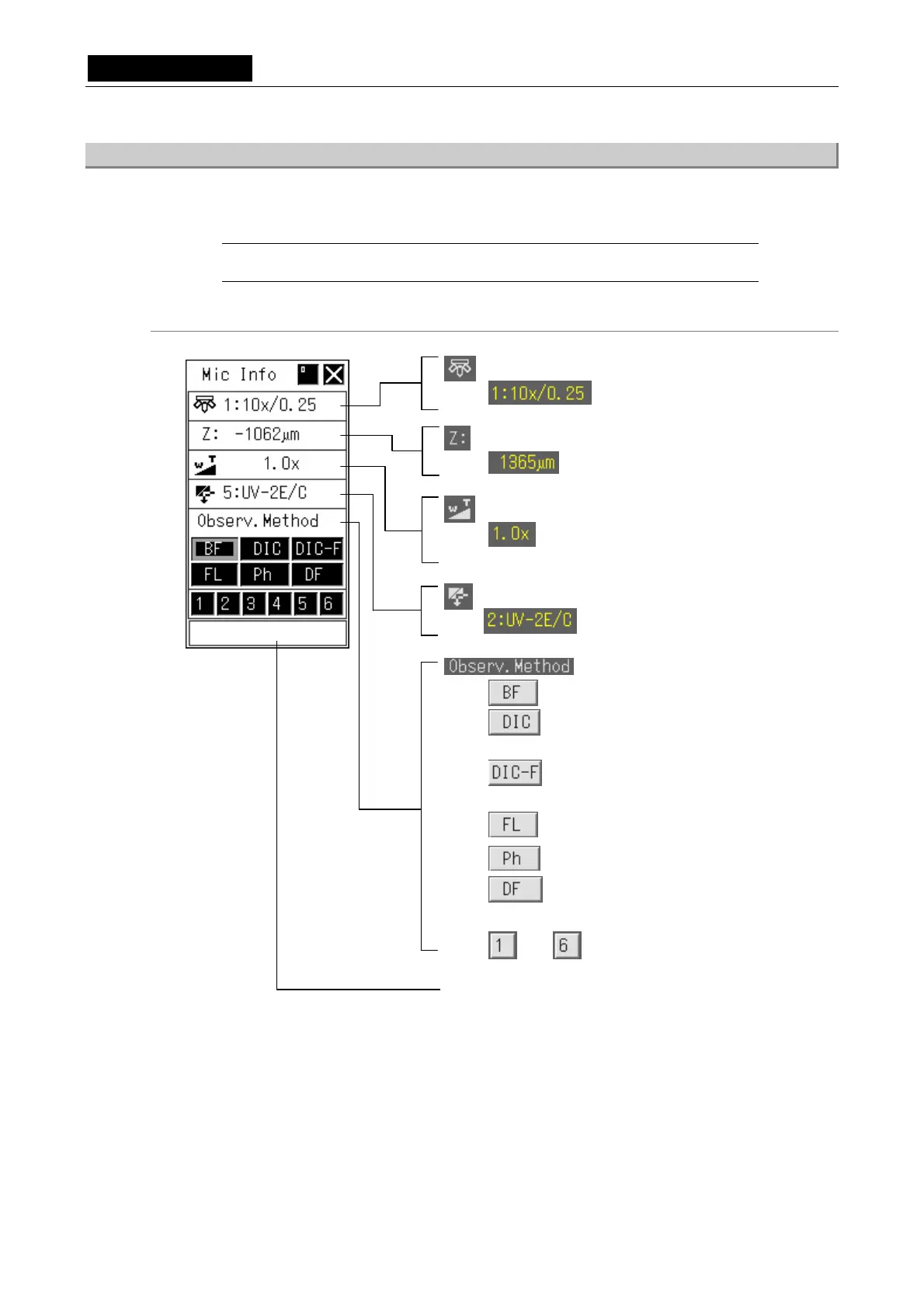
6.2.3 Microscope Status Display/Microscopy Setup Menu (MIC Info Menu)
Right-click anywhere on the screen where no other menu is displayed to display the microscope
status display/microscopy setup menu (MIC Info menu).
NOTE: This menu is displayed only when the connected microscope is a Nikon 90i
microscope or Nikon 80i microscope incorporating the DIH-E.
Menu configuration (when the microscope connected has all motorized parts attached)
Objective
Shows magnification and NA value.
Optical zoom
Shows the optical zoom magnification (when
connected to the rear port of the DIH).
Info box information display (indicates operating status or detailed
items for the selected icon)
Stage position (Z axis)
Shows address along the vertical axis (Z axis).
Observation method
Sets the microscope for bright-field microscopy.
Sets the microscope for differential interference
contrast microscopy.
Sets the microscope for differential interference
contrast-fluorescent microscopy.
Sets the microscope for fluorescent microscopy.
S ets the microscope for phase contrast microscopy.
Sets the microscope for dark-field microscopy.
<User setup microscopy>
>
/
・・・
/ Sets the microscope for user setup microscopy.
Filter
Shows filter name.













 To Next Page