III Names of Parts and Their Functions
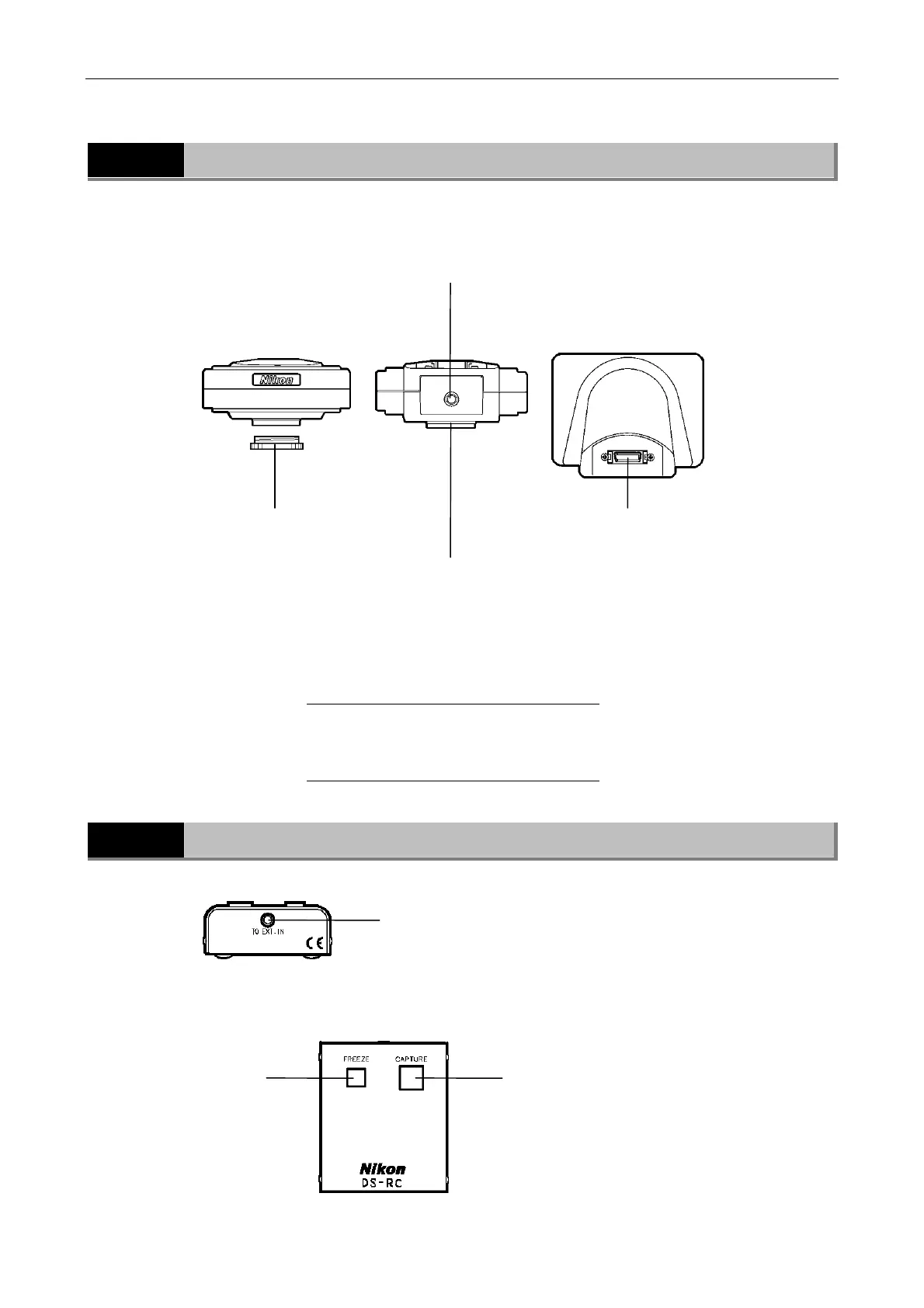
2 DS Camera Head DS-5M / DS Cooled Camera Head DS-5Mc
- 8 -
2
DS Camera Head DS-5M / DS Cooled Camera Head DS-5Mc
3
DS Remote Controller DS-RC (Optional)
To EXT.IN connector
Connect the cable supplied with the unit from
this connector to the EXTERNAL IN connector
on the DS-L1.
CAPTURE button
Saves image data. A destination where image
data is saved (a CF card, server via FTP, or
output directly to a printer) can be assigned.
Above functions can be assigned to the button in
Additional Settings of the SETUP menu.
FREEZE button
Freezes the current
image as a still
picture. To release
the frozen image,
press the button
again.
C mount cap
Protects the C mount
from dust.
C mount
When takin
microphoto
raphs, mount
the C mount adapter here before
connecting to the microscope.
When taking other photographs,
attach the C mount lens here.
CAMERA OUT connector
Tripod mount
This mount can be used to mount
the camera head on a tripod, etc.
Top
Bottom
Rear
NOTE: DS-5M and DS-5Mc have the same
body, only the color differs.
DS-5M: White
DS-5Mc: Black













 To Next Page